
A reliable internet connection has become essential for everyday life. Whether you are working from home, streaming movies, playing online games, attending video meetings, downloading large files, or simply browsing the web, a weak wireless connection can quickly become frustrating.
Sometimes, the problem is not your internet service or router. Your computer’s built-in Wi-Fi hardware may simply be outdated, weak, or unable to take full advantage of your current wireless network. In these situations, a Wi-Fi adapter can be a simple and affordable way to improve wireless connectivity.
The best Wi-Fi adapters can provide better wireless performance, improved range, support for newer Wi-Fi standards, and more reliable connections. However, choosing the right adapter requires more than looking at the highest advertised speed.
At Razzling Dazzling, we believe technology purchases should be based on practical needs rather than confusing specifications. In this guide, we will explain what Wi-Fi adapters do, the different types available, which features matter, and how to choose the right one for faster and more reliable internet.
What Is a Wi-Fi Adapter?
A Wi-Fi adapter is a device that allows a computer or another compatible device to connect to a wireless network.
Many modern laptops already have built-in Wi-Fi. Desktop computers may also include wireless connectivity, but some older systems may require an adapter.
A Wi-Fi adapter can be particularly useful if:
- Your computer does not have built-in Wi-Fi
- Your existing Wi-Fi hardware is outdated
- Your wireless connection is unreliable
- Your computer does not support newer Wi-Fi standards
- You need better wireless performance
- You want to add Wi-Fi to a desktop PC
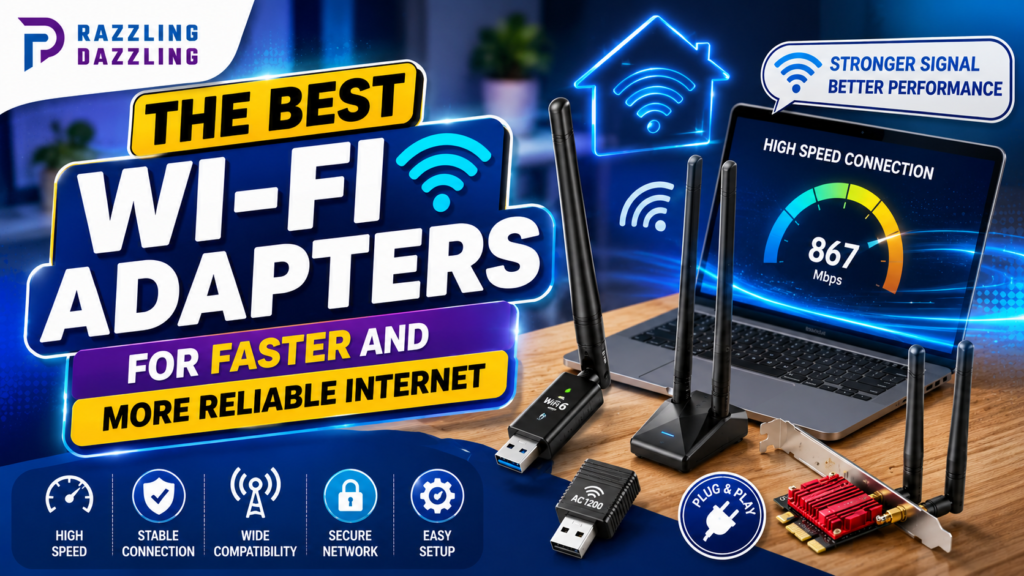
Most consumer Wi-Fi adapters connect through USB, although internal PCIe adapters are also available for desktop computers.
Why Upgrade Your Wi-Fi Adapter?
Your internet speed depends on more than the adapter.
Your connection can be affected by:
- Internet service speed
- Router performance
- Wi-Fi standard
- Adapter capabilities
- Distance from the router
- Walls and obstacles
- Wireless interference
- Network congestion
- Computer hardware
- Router configuration
For example, if your internet plan provides high-speed service but your computer only supports an older wireless standard, the computer may not take full advantage of the available connection.
Upgrading the adapter can help remove that limitation.
However, it is important to understand that a new Wi-Fi adapter cannot magically increase the speed provided by your internet service provider.
Types of Wi-Fi Adapters
Before buying an adapter, you need to decide which type is appropriate for your device.
USB Wi-Fi Adapters
USB adapters are the easiest option for most users.
They simply plug into a USB port and can add wireless connectivity without opening your computer.
Advantages
- Easy installation
- Portable
- Affordable
- Easy to replace
- Useful for desktops and laptops
- No need to open the computer case
Some USB adapters are tiny enough to remain plugged into a laptop without getting in the way.
Others are larger and include external antennas for better range and performance.
PCIe Wi-Fi Adapters
PCIe Wi-Fi adapters are designed primarily for desktop computers.
They are installed inside the computer using an available PCIe slot.
Advantages
- Strong performance
- External antenna options
- Good range
- Often support modern Wi-Fi standards
- Can provide Bluetooth on some models
The downside is installation. You need to open the desktop case and install the adapter correctly.
For a desktop that stays in one location, a PCIe adapter can be an excellent long-term solution.
Understanding Wi-Fi Standards
One of the most important things to check when buying a Wi-Fi adapter is its supported wireless standard.
You may see names such as:
- Wi-Fi 5
- Wi-Fi 6
- Wi-Fi 6E
- Wi-Fi 7
Newer standards generally offer improvements in speed, efficiency, capacity, and network performance.
Wi-Fi 5
Wi-Fi 5 is based on the 802.11ac standard.
It remains suitable for many everyday applications, including:
- Web browsing
- HD streaming
- Video calls
- General home use
However, if you are buying a new adapter today, you may want to consider a newer standard for better future compatibility.
Wi-Fi 6
Wi-Fi 6 is based on 802.11ax.
It provides improvements in efficiency and performance, especially in environments with many connected devices.
Wi-Fi 6 can be a good choice for:
- Modern home networks
- Gaming
- Streaming
- Work-from-home setups
- Busy households
Wi-Fi 6E
Wi-Fi 6E extends Wi-Fi 6 into the 6 GHz band.
The additional spectrum can provide access to less congested wireless channels in compatible environments.
However, both the router and client device need to support the relevant 6 GHz functionality.
Wi-Fi 7
Wi-Fi 7 is a newer generation designed to provide higher performance and improved efficiency.
It can be attractive for users with high-end routers and fast internet connections who want a newer wireless platform.
However, buying a Wi-Fi 7 adapter only makes sense if your router and other network equipment can take advantage of its capabilities.
Speed: Don’t Believe Every Number
Wi-Fi adapters often advertise impressive theoretical speeds.
For example, an adapter may advertise several gigabits per second.
These numbers are usually theoretical maximum link rates rather than the speed you will actually experience while browsing the internet.
Real-world performance depends on:
- Router capability
- Internet service
- Signal strength
- Distance
- Interference
- Network traffic
- Device hardware
- Wireless channel conditions
Therefore, do not choose an adapter simply because it has the largest number on the product box.
Compatibility and real-world reliability are often more important.
Dual-Band vs. Tri-Band Wi-Fi
Many Wi-Fi adapters support two or more wireless frequency bands.
2.4 GHz
The 2.4 GHz band generally provides longer range and better penetration through walls.
However, it can be more crowded because many household devices use this frequency.
5 GHz
The 5 GHz band generally provides faster performance and can experience less congestion.
Its range is usually shorter than 2.4 GHz, particularly through walls.
6 GHz
The 6 GHz band is available with compatible newer Wi-Fi technologies.
It can provide additional spectrum and potentially lower congestion, but its shorter range and compatibility requirements should be considered.
For many modern users, a dual-band or tri-band adapter can provide greater flexibility than an adapter limited to one frequency.
Antenna Design Matters
A Wi-Fi adapter’s antenna configuration can influence range and reliability.
Tiny USB adapters may have an internal antenna.
Larger models may include one or more external antennas.
External antennas can be useful for desktop computers where the adapter may be positioned away from the computer case.
Some models use a cable-connected antenna base, allowing you to position the antennas in a more favorable location.
If your computer is far from the router, antenna design may be particularly important.
USB 2.0 vs. USB 3.0 and Newer Ports
If you are purchasing a USB Wi-Fi adapter, pay attention to the USB interface.
Older USB standards can potentially limit high-speed wireless adapters.
For modern high-performance Wi-Fi, a suitable high-speed USB connection is generally preferable.
Also check the physical ports available on your computer.
A USB adapter that performs well on a modern USB port may not deliver the same potential if connected through an older interface.
Compatibility Is Essential
Before buying any Wi-Fi adapter, make sure it works with your operating system and device.
Check support for:
- Windows
- macOS
- Linux
- Specific Windows versions
- Desktop or laptop compatibility
- Required drivers
Some adapters have excellent Windows support but limited compatibility with other operating systems.
Driver availability is particularly important.
A technically impressive adapter is not useful if your computer cannot properly recognize or operate it.
Wi-Fi Adapter for Gaming
Online gaming requires more than raw download speed.
A reliable connection with low latency and minimal interruptions is often more important.
For gaming, consider an adapter with:
- Modern Wi-Fi support
- Strong signal reception
- Reliable drivers
- Good antenna design
- Compatibility with your router
- Support for newer wireless features
If possible, placing the router closer to your gaming computer or using Ethernet can provide an even more consistent connection.
A Wi-Fi adapter can improve wireless performance, but it cannot eliminate all sources of latency.
Wi-Fi Adapter for Streaming
If you frequently stream movies, television shows, or high-resolution content, connection stability is important.
A modern dual-band or tri-band adapter can be useful when paired with a capable router.
For streaming, prioritize:
- Stable connection
- Good signal strength
- Appropriate Wi-Fi standard
- Strong router compatibility
- Adequate wireless throughput
Remember that streaming quality also depends on the service, internet connection, and network congestion.
Wi-Fi Adapters for Work From Home
For remote workers, reliability may be more important than maximum speed.
A dropped connection during a video meeting can be more frustrating than a slightly slower download.
A good adapter can help provide:
- Stable video calls
- Reliable cloud access
- Faster file transfers
- Consistent web browsing
- Better connection to wireless peripherals
If your work depends heavily on the internet, consider having an alternative connection method available, such as Ethernet or mobile hotspot access.
Wi-Fi Adapter vs. Wi-Fi Extender
These devices solve different problems.
A Wi-Fi adapter connects your computer to a wireless network.
A Wi-Fi extender expands wireless coverage to areas where the existing router signal is weak.
If your phone works well near your computer but your PC’s wireless connection is poor, the adapter could be the problem.
If every device has poor signal in that room, the router’s coverage may be the bigger issue.
Understanding this difference can prevent you from buying the wrong product.
Wi-Fi Adapter vs. Ethernet
Ethernet remains an excellent option when reliability and low latency are the highest priorities.
A wired connection can provide:
- Stable performance
- Low latency
- Consistent speeds
- Less wireless interference
However, Ethernet is not always convenient.
A Wi-Fi adapter is useful when you want to avoid running network cables across a room or building.
For many home users, Wi-Fi offers the best combination of convenience and performance.
How to Improve Wi-Fi Performance After Installing an Adapter
Installing a new adapter is only part of the solution.
You can often improve performance with a few simple changes.
Position the Router Carefully
Place your router in a relatively central and open location when possible.
Avoid hiding it inside cabinets or placing it behind large objects.
Reduce Interference
Other wireless devices and nearby networks can contribute to congestion.
Experimenting with different Wi-Fi channels or using less crowded frequency bands may help.
Update Drivers
Check for updated adapter drivers from the manufacturer.
Driver updates can sometimes improve compatibility, stability, or performance.
Update Your Router
If your adapter supports a newer Wi-Fi standard but your router is several generations old, upgrading the router may provide a larger improvement.
The adapter and router work together, so both should be considered.
Use the Right Frequency
If you are close to the router, 5 GHz or 6 GHz may provide excellent performance.
If you are farther away or have several walls between you and the router, 2.4 GHz may provide better range.
Security Features to Consider
A Wi-Fi adapter should support modern wireless security technologies compatible with your network.
Security standards have evolved over time, and modern routers may support stronger protection than older devices.
When purchasing a new adapter, look for support that matches your router’s security capabilities.
Keeping your operating system, drivers, and router firmware updated is also an important part of maintaining network security.
How Much Should You Spend on a Wi-Fi Adapter?
Wi-Fi adapters are available at many different price points.
An inexpensive adapter may be perfectly adequate for basic browsing.
A mid-range model can provide better performance and newer standards for streaming, work, and general home use.
High-end adapters can make more sense for:
- Gigabit internet connections
- Gaming
- Large file transfers
- High-performance desktop PCs
- Newer Wi-Fi 6E or Wi-Fi 7 networks
There is little reason to purchase an expensive high-end adapter if your router and internet service cannot take advantage of it.
Best Wi-Fi Adapter Buying Checklist
Before purchasing, check the following:
- Supported Wi-Fi standard
- 2.4 GHz support
- 5 GHz support
- 6 GHz support if needed
- Theoretical maximum speed
- USB or PCIe interface
- Operating system compatibility
- Driver availability
- Antenna design
- Security support
- Router compatibility
- Warranty
- Manufacturer reputation
Most importantly, make sure the adapter matches your existing network.
Common Wi-Fi Adapter Buying Mistakes
Choosing Based Only on Advertised Speed
The highest theoretical speed does not guarantee the fastest real-world connection.
Ignoring Compatibility
Always check operating-system and driver support before buying.
Buying Wi-Fi 7 for an Old Router
Newer technology is not automatically better if your network cannot use it.
Using an Adapter With Poor Placement
Even an excellent adapter can struggle if your computer is surrounded by obstacles or located far from the router.
Forgetting the USB Interface
High-speed adapters should be paired with an appropriate USB connection.
Expecting the Adapter to Fix Every Wi-Fi Problem
If your entire home has weak Wi-Fi coverage, you may need a better router, mesh system, or extender rather than simply replacing the adapter.
Final Thoughts
The best Wi-Fi adapter is not necessarily the one with the highest advertised speed. The right choice depends on your computer, router, internet plan, operating system, distance from the router, and intended use.
For many users, a modern Wi-Fi 6 dual-band adapter can provide an excellent combination of performance, compatibility, and value. Users with newer routers and high-speed networks may want to consider Wi-Fi 6E or Wi-Fi 7 adapters.
Before buying, check compatibility, wireless standards, frequency bands, antenna design, USB or PCIe connectivity, driver support, and security features.
And remember that your adapter is only one part of your network. A capable router, good placement, suitable internet service, and minimal interference are all important for achieving reliable wireless performance.
At Razzling Dazzling, we believe better technology decisions begin with understanding what you actually need. Instead of buying based solely on impressive numbers, compare the complete feature set and choose the adapter that fits your network.
Ready to Upgrade Your Wi-Fi?
If your computer frequently disconnects, struggles with large downloads, or cannot take advantage of your modern wireless network, a quality Wi-Fi adapter could be a simple upgrade. Before purchasing, check your router’s Wi-Fi standard, your computer’s available ports, operating-system compatibility, and the distance between your computer and router.
Explore more practical technology guides from Razzling Dazzling for smart buying tips, useful product insights, and easy-to-understand advice that helps you build a faster, more reliable, and more convenient digital setup.
Frequently Asked Questions
1. What is the best Wi-Fi adapter for faster internet?
The best adapter depends on your router, computer, internet speed, and wireless environment. A modern Wi-Fi 6 or newer adapter can be a strong choice for many users, provided the router supports the technology.
2. Can a Wi-Fi adapter improve internet speed?
A better adapter can improve your computer’s wireless performance if the existing adapter is outdated or limiting your connection. However, it cannot increase the speed provided by your internet service.
3. Is Wi-Fi 6 better than Wi-Fi 5?
Wi-Fi 6 offers improvements in efficiency, capacity, and performance compared with Wi-Fi 5, particularly in networks with multiple connected devices. It can be a good choice for a new adapter.
4. Should I buy a USB or PCIe Wi-Fi adapter?
USB adapters are easier to install and are suitable for most users. PCIe adapters are designed for desktop computers and can offer strong performance and external antenna options.
5. Do Wi-Fi adapters work with laptops?
Yes. USB Wi-Fi adapters can work with many laptops, provided the adapter supports the laptop’s operating system and available USB port.
6. Can a Wi-Fi adapter improve gaming?
A quality Wi-Fi adapter can provide a more reliable wireless connection, which may help gaming performance. However, latency also depends on your router, internet connection, distance, interference, and network congestion.
7. Does a Wi-Fi adapter increase Wi-Fi range?
Some adapters with better antennas can improve your computer’s ability to receive a wireless signal. However, they are not designed primarily to extend Wi-Fi coverage throughout a home like a Wi-Fi extender or mesh system.
8. Do I need Wi-Fi 6E or Wi-Fi 7?
You only need Wi-Fi 6E or Wi-Fi 7 if your router and network can take advantage of those technologies. For many users, Wi-Fi 6 provides an excellent balance of performance and value.
9. What should I look for in a Wi-Fi adapter?
Important features include Wi-Fi standard, supported frequency bands, speed, antenna design, USB or PCIe interface, operating-system compatibility, drivers, security support, and router compatibility.
10. Is Ethernet better than a Wi-Fi adapter?
Ethernet generally provides a more consistent and lower-latency connection because it avoids wireless interference. However, Wi-Fi adapters are more convenient when running a network cable is impractical.
About Razzling Dazzling
At Razzling Dazzling, we are dedicated to helping readers discover trusted technology, home, and lifestyle solutions through practical guides, useful reviews, and straightforward buying advice.
Our mission is to make everyday technology easier to understand so readers can make smarter purchasing decisions. We focus on useful information, real-world considerations, and practical advice rather than unnecessary technical complexity.
From laptops and networking equipment to smart-home devices and everyday technology, Razzling Dazzling aims to help you understand your options and choose products that fit your needs.
Thank you for being part of the Razzling Dazzling family. Together, let’s make everyday decisions brighter, smarter, and more dazzling!