
In today’s digital world, data is one of our most valuable assets. Family photos, business documents, videos, creative projects, financial records, and important work files can quickly add up to hundreds of gigabytes or even several terabytes. Keeping all that information safe requires more than simply saving everything on a laptop or desktop computer.
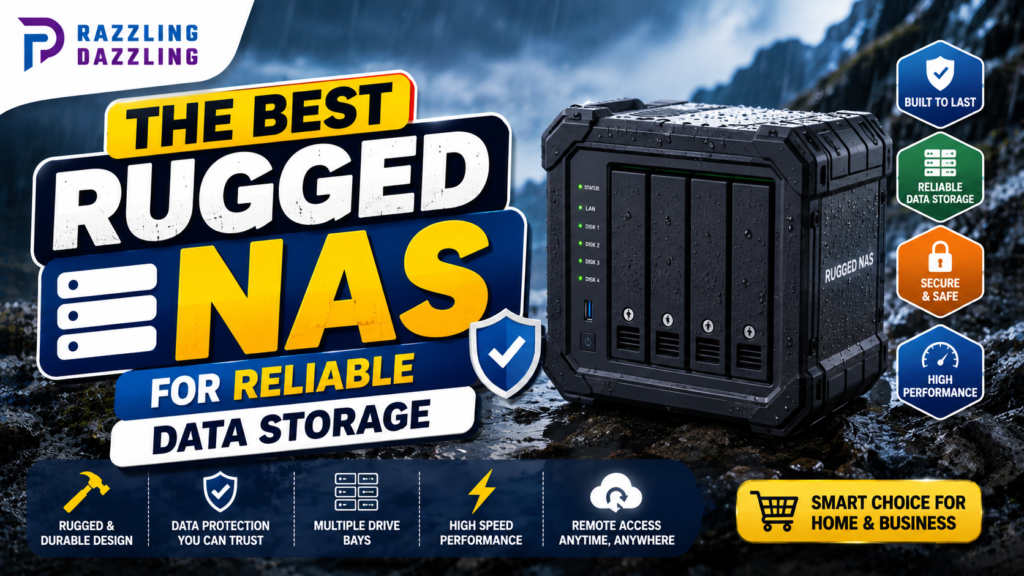
A Network Attached Storage (NAS) system provides a centralized place to store, organize, access, and back up files across multiple devices. For users who need additional durability and dependable operation, a rugged NAS can be an attractive option.
The best rugged NAS isn’t necessarily the device with the toughest-looking exterior. A reliable storage system should combine durable construction with dependable drives, RAID capabilities, strong networking, security features, backup options, and software that makes managing your data straightforward.
At Razzling Dazzling, we’re committed to helping readers make smarter technology decisions through practical guides and easy-to-understand information. In this guide, we’ll explain what a rugged NAS is, who needs one, which features matter most, and how to choose a storage system that fits your needs.
What Is a Rugged NAS?
A NAS is a dedicated storage device connected to a network. Instead of storing files only on individual computers, you can use a NAS as a centralized storage location for multiple devices.
A rugged NAS generally refers to a NAS designed or selected for environments where durability, reliability, portability, or resistance to physical challenges is particularly important.
Depending on the product, ruggedness may involve:
- Stronger physical construction
- Protective enclosures
- Better resistance to dust
- Improved protection against vibration
- Reliable cooling
- Secure drive installation
- Protection for use in demanding environments
- Compact or portable designs
However, it’s important to distinguish between rugged construction and data protection.
A physically durable NAS does not automatically protect your files from drive failure, accidental deletion, malware, or theft.
Reliable data storage requires both hardware durability and a good backup strategy.
Why Choose a Rugged NAS?
A standard NAS can be perfectly suitable for a home or office.
However, certain users may need something more robust.
A rugged or durability-focused NAS can be useful for:
- Photographers
- Videographers
- Field professionals
- Small businesses
- Construction teams
- Remote offices
- Creative professionals
- Travelers
- Researchers
- Industrial environments
- Users with valuable media libraries
For example, a photographer working in different locations may need to transfer and organize large image files without relying entirely on a laptop’s internal storage.
Similarly, a small business may want centralized storage that can remain available for multiple employees while providing redundancy and backup options.
Rugged NAS vs. Regular NAS
The main difference isn’t always the storage technology itself.
Both systems can use:
- Hard disk drives
- Solid-state drives
- RAID configurations
- Ethernet networking
- NAS operating systems
- Cloud backup services
- Remote-access tools
The difference is often in how the hardware is designed and where it is intended to be used.
A regular NAS is usually designed for controlled environments such as homes and offices.
A rugged NAS may place greater emphasis on physical protection, portability, vibration resistance, cooling, or secure drive installation.
If your NAS will stay in a climate-controlled office, you may not need rugged construction.
If it will regularly travel or operate in a demanding environment, durability becomes more important.
How Much Storage Do You Need?
Storage capacity is one of the first decisions you should make.
NAS systems can range from relatively small capacities to many terabytes of usable storage.
Your requirements depend on what you plan to store.
Basic Home Storage
For documents, personal photographs, and general backups, a smaller NAS may be sufficient.
Photography Storage
RAW photographs can consume significant amounts of space.
Photographers should consider both their current library and future growth.
Video Storage
Video creators often require much more capacity because high-resolution video files can be extremely large.
If you work with 4K or higher-resolution footage, storage requirements can increase rapidly.
Business Storage
Businesses should consider not only current requirements but also future growth, employee access, backups, and retention policies.
A good approach is to estimate how much storage you currently use, calculate how quickly it grows, and choose a NAS with enough capacity to provide several years of headroom.
Understanding RAID
RAID is one of the most important concepts when choosing a NAS.
RAID combines multiple drives to provide different combinations of performance, capacity, and redundancy.
Common configurations include:
RAID 0
RAID 0 distributes data across multiple drives.
It can provide high performance and use the combined capacity of the drives, but it offers no drive redundancy.
If one drive fails, the stored data can be lost.
For important files, RAID 0 should not be considered a backup.
RAID 1
RAID 1 mirrors data between drives.
If one drive fails, the other can continue providing access to the data.
The trade-off is that usable capacity is approximately the capacity of one drive.
RAID 1 can be a straightforward choice for users who prioritize redundancy.
RAID 5
RAID 5 uses distributed parity and requires multiple drives.
It can provide a balance between storage efficiency, performance, and protection against a single drive failure.
RAID 6
RAID 6 provides protection against two drive failures and requires more drives than RAID 5.
It can be useful for larger storage systems where data availability is especially important.
RAID 10
RAID 10 combines mirroring and striping.
It can provide strong performance and redundancy but requires more drives and provides less usable capacity than some other configurations.
RAID Is Not a Backup
This point deserves special attention.
RAID is not a backup.
RAID can help protect against certain hardware failures, but it cannot protect you from:
- Accidental deletion
- Ransomware
- Malware
- File corruption
- Theft
- Fire
- Flooding
- Hardware damage
- User mistakes
For truly important information, follow the 3-2-1 backup approach:
3 copies of important data
2 different types of storage
1 copy stored off-site
For example, you could keep the primary files on the NAS, maintain a local backup, and use secure cloud or off-site storage for another copy.
Hard Drives vs. SSDs in a Rugged NAS
The storage drives inside your NAS are just as important as the NAS enclosure.
Hard Disk Drives
HDDs generally provide large amounts of storage at a relatively low cost.
They can be a practical choice for:
- Media libraries
- Backups
- Documents
- Long-term storage
- Large archives
However, mechanical drives contain moving parts and can be more sensitive to physical shock and vibration.
Solid-State Drives
SSDs contain no mechanical moving parts.
They can provide:
- Faster access
- Lower latency
- Better resistance to physical shock
- Quiet operation
- Lower mechanical vibration
SSDs can be particularly attractive in portable or physically demanding environments.
However, they typically cost more per terabyte than HDDs.
For a rugged NAS, the best choice depends on your priorities, workload, capacity requirements, and budget.
Physical Durability Matters
When evaluating a rugged NAS, examine its actual construction rather than simply relying on the word “rugged.”
Look for features such as:
- Strong chassis construction
- Secure drive bays
- Protective covers
- Good ventilation
- Dust protection where applicable
- Vibration management
- Secure mounting options
- Reliable power connections
If the NAS will be transported regularly, also consider its size and weight.
A storage device that is difficult to transport safely may not be practical even if it has excellent internal hardware.
Cooling Is Essential
Storage drives and processors generate heat.
Excessive heat can negatively affect long-term reliability, so effective cooling is important.
A good NAS should provide appropriate airflow around the drives and internal components.
When evaluating a system, consider:
- Fan design
- Ventilation
- Drive spacing
- Operating temperature
- Dust management
- Noise
A rugged enclosure should not sacrifice cooling simply to provide additional physical protection.
Network Connectivity
A NAS is only as useful as your ability to access it efficiently.
For many home and small-business systems, Gigabit Ethernet can provide good performance.
More demanding users may benefit from faster networking, particularly when transferring large video files or working with multiple users.
Consider whether your NAS supports:
- Gigabit Ethernet
- 2.5GbE
- 5GbE
- 10GbE
- Link aggregation where appropriate
- Modern Wi-Fi through compatible network infrastructure
Remember that your entire network needs to support the desired speed.
Buying a high-speed NAS won’t automatically provide high-speed transfers if your computer, router, switch, or cables are limited.
Remote Access
One of the benefits of a NAS is the ability to access files from multiple devices.
Depending on the system, you may be able to access your files from:
- Desktop computers
- Laptops
- Smartphones
- Tablets
- Other network-connected devices
Remote access can be convenient when you’re away from home or the office.
However, convenience should never come at the expense of security.
If you enable remote access, make sure your NAS software, router, accounts, and authentication methods are properly configured.
Security Features to Look For
A NAS contains your data, so security should be a major consideration.
Look for features such as:
- User accounts
- Access permissions
- Strong authentication
- Encryption
- Secure remote access
- Automatic security updates
- Firewall compatibility
- Activity monitoring
- Backup and recovery tools
Avoid giving every user full administrator access.
Instead, create individual accounts and provide only the permissions each person actually needs.
This reduces the risk of accidental or unauthorized changes.
Automatic Backups
A good NAS can become the center of your backup strategy.
You may be able to automatically back up:
- Windows computers
- Macs
- Smartphones
- Tablets
- External drives
- Cloud services
Automatic backups are valuable because they reduce the need to remember to manually copy files.
For example, you could configure your computer to automatically back up important documents to the NAS every day.
The NAS itself should then be backed up to another destination.
File Sharing for Families and Businesses
One major benefit of a NAS is centralized file access.
Instead of keeping important files scattered across multiple computers, you can organize them in one location.
A family could use separate folders for:
- Photos
- Videos
- School documents
- Personal files
- Shared media
A business could organize folders by:
- Departments
- Projects
- Clients
- Employees
- Archives
User permissions allow administrators to control who can access each folder.
NAS for Photographers
Photographers can benefit significantly from a well-designed NAS.
Large RAW libraries can quickly consume laptop and desktop storage.
A NAS can provide centralized space for:
- RAW files
- Edited photographs
- Lightroom catalogs
- Client projects
- Exports
- Archives
However, photographers should be careful when working directly from a NAS.
Network performance can vary depending on the connection and workload.
For demanding editing, some users may prefer keeping active projects on a fast local SSD while using the NAS for storage, synchronization, and backups.
NAS for Video Editors
Video editors often need substantial storage capacity.
A rugged NAS can be useful for storing:
- Original footage
- Project files
- Finished videos
- Proxies
- Audio
- Graphics
- Archives
If multiple editors need to work from the same storage system, network speed becomes particularly important.
For collaborative video production, consider a NAS with fast Ethernet and sufficient processing performance.
Noise and Energy Consumption
A NAS can operate continuously, so noise and electricity consumption should not be ignored.
A NAS with multiple mechanical drives and active cooling may produce noticeable noise.
If the NAS will sit in a bedroom or living area, look for a quieter configuration.
Energy consumption also matters for systems that remain powered 24/7.
Features such as drive sleep modes and scheduled operation can help reduce unnecessary power usage when appropriate.
Ease of Use
A NAS should not require advanced networking knowledge for basic tasks.
Look for a system with:
- Easy setup
- Clear management software
- Mobile applications
- Simple user management
- Backup tools
- Storage monitoring
- Health alerts
- Easy firmware updates
A complicated NAS may offer many advanced features but become frustrating if the interface is difficult to understand.
Choose a system that matches your technical comfort level.
What Makes the Best Rugged NAS?
When comparing different systems, consider these key areas:
| Feature | What to Look For |
| Durability | Strong enclosure and secure drive installation |
| Capacity | Enough room for current and future data |
| RAID | Appropriate redundancy for your workload |
| Storage | Reliable HDDs or SSDs |
| Networking | Gigabit or faster Ethernet when needed |
| Security | User permissions and secure access |
| Backup | Automated local and off-site backup support |
| Cooling | Effective airflow and temperature management |
| Software | Easy-to-use management tools |
| Remote Access | Secure access from outside the network |
| Expandability | Ability to increase storage later |
| Support | Reliable updates and manufacturer support |
Common Rugged NAS Buying Mistakes
Assuming Rugged Means Indestructible
No NAS is immune to every environmental hazard.
Always check the manufacturer’s actual durability specifications.
Choosing Capacity Without Considering RAID
The total drive capacity isn’t necessarily the amount of usable storage you’ll have after redundancy is configured.
Treating RAID as a Backup
RAID protects against certain drive failures, not every type of data loss.
Ignoring Network Speed
A high-performance NAS can still feel slow if your network infrastructure is outdated.
Buying More Storage Than You Can Back Up
A large NAS is useful only if you have a practical strategy for protecting the data stored on it.
Forgetting Drive Compatibility
Not every drive is necessarily appropriate for every NAS environment. Check the manufacturer’s compatibility information before purchasing storage drives.
How to Choose the Right Rugged NAS
Before purchasing, ask yourself these questions:
How much data do I have today?
Estimate your current storage requirements.
How quickly is my data growing?
Photographers and video creators may need significantly more capacity every year.
How many people need access?
A personal NAS has different requirements from a business file server.
Will the NAS remain stationary?
If it will stay in an office, extreme portability may not matter.
Do I need remote access?
If yes, prioritize security and reliable software.
What network speed do I have?
Your NAS should match your existing infrastructure or your planned network upgrade.
How will I back it up?
This is perhaps the most important question.
Final Thoughts
The best rugged NAS for reliable data storage should provide more than a durable enclosure. It should combine dependable hardware, suitable storage capacity, drive redundancy, strong networking, security, cooling, easy management, and a well-designed backup strategy.
For home users, a compact NAS with redundant storage and automatic backups may be more than enough. Photographers and video creators may benefit from larger capacities and faster networking. Businesses may require advanced permissions, stronger redundancy, remote access, and additional backup systems.
Remember that no single device can eliminate every risk. Even the toughest NAS can suffer from hardware failure, accidental deletion, ransomware, or environmental damage.
That’s why the smartest approach is to combine durable hardware with RAID, secure access, regular backups, and an off-site copy of your most important data.
At Razzling Dazzling, we believe reliable technology starts with choosing the right solution for your actual needs. Instead of focusing only on storage capacity or rugged appearance, consider durability, performance, security, expandability, and long-term data protection.
Ready to Build a More Reliable Storage System?
If your photographs, videos, business files, or personal documents are becoming too important to keep on a single computer, a rugged or durability-focused NAS can provide a centralized and dependable storage solution. Before buying, calculate your current storage needs, consider future growth, choose an appropriate RAID configuration, check network requirements, and create a backup plan that protects your data even if the NAS itself fails.
Explore more practical technology guides from Razzling Dazzling to learn how to choose smarter storage, networking, and home technology solutions that make everyday digital life simpler, safer, and more reliable.
Frequently Asked Questions
1. What is a rugged NAS?
A rugged NAS is a Network Attached Storage system designed with an emphasis on durability, reliability, portability, or protection for more demanding environments. Its exact level of physical protection depends on the specific model.
2. Is a rugged NAS better than a regular NAS?
Not necessarily. A rugged NAS can be a better choice for demanding or mobile environments, while a standard NAS may be more suitable for a home or climate-controlled office.
3. Is RAID a backup?
No. RAID can protect against certain drive failures, but it does not protect against accidental deletion, ransomware, theft, fire, or other forms of data loss. A separate backup strategy is essential.
4. How much storage should a NAS have?
Choose capacity based on your current data, expected growth, and backup requirements. Photographers and video creators often need significantly more storage than users who primarily store documents.
5. Are SSDs better than HDDs for a rugged NAS?
SSDs have no moving parts and can offer faster performance and greater resistance to physical shock. HDDs generally provide more storage capacity at a lower cost. The best option depends on your workload, environment, and budget.
6. Can I use a NAS to back up my computer?
Yes. Many NAS systems support automated backups for computers and other devices. You can configure regular backups so important files are copied to the NAS without requiring manual transfers.
7. Can a NAS protect against ransomware?
A NAS can provide features that help reduce risk, such as snapshots, permissions, versioning, and backups. However, it should not be considered completely immune to ransomware. Proper security and independent backups are still important.
8. Do I need a fast network for a NAS?
It depends on your workload. Basic document storage can work well over standard Gigabit Ethernet, while large video files, multiple users, or demanding creative workflows can benefit from faster networking.
9. Can I access a NAS remotely?
Many NAS systems support remote access. However, remote access should be configured securely using strong authentication, updated software, and appropriate access controls.
10. Is a NAS good for photographers?
Yes. A NAS can provide centralized storage for RAW photographs, edited images, project files, and archives. Photographers should still maintain separate backups of important files.
About Razzling Dazzling
At Razzling Dazzling, we’re dedicated to helping readers discover the best in technology, home, and lifestyle through trusted reviews, practical guides, and smart solutions.
Our mission is to make everyday decisions simpler and smarter by providing clear, useful, and straightforward information. From technology buying guides to practical how-to advice, we focus on information that helps readers understand their options and choose products with greater confidence.
We believe in honesty and transparency, practical simplicity, continuous learning, and inclusivity. Every guide is created with the goal of making useful technology easier to understand without unnecessary complexity.
Whether you’re upgrading your storage system, exploring networking technology, shopping for a new laptop, or looking for smarter solutions for your home, Razzling Dazzling is here to help you make informed choices.
Thank you for being part of the Razzling Dazzling family. Together, let’s make everyday decisions brighter, smarter, and more dazzling!