
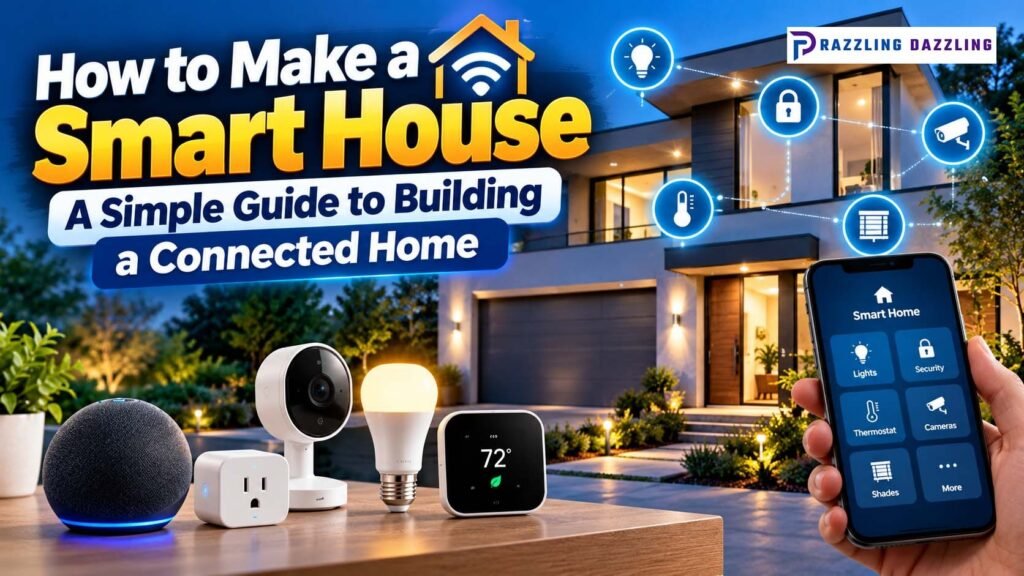
A smart house does not have to look like something from a futuristic movie. You do not need to replace every appliance or install dozens of complicated devices to create a connected home. In fact, the best smart homes usually start with a few practical devices that solve everyday problems.
Smart lighting can turn on automatically, a thermostat can adjust the temperature according to your schedule, security devices can send notifications, and smart plugs can control ordinary electronics remotely. Once these devices are connected through a compatible platform, they can also work together to create useful routines.
Building a smart house is therefore less about buying the most expensive technology and more about choosing devices that fit your lifestyle. ENERGY STAR notes that smart products can be remotely managed, scheduled, and automated based on factors such as occupancy, while connected systems can also help homeowners manage energy use.
What Is a Smart House?
A smart house is a home where connected devices can be monitored, controlled, or automated through a network and compatible software.
Depending on the devices you choose, you may be able to control your home through:
- A smartphone or tablet
- Voice controls
- A central smart-home app
- Automated schedules
- Motion or occupancy sensors
- Location-based routines
- Smart buttons and switches
- Home security systems
For example, instead of manually turning off every light before going to bed, you could create a nighttime routine that turns off selected lights, adjusts the thermostat, and activates security devices.
The important difference between a collection of smart products and a genuinely smart house is automation and coordination. ENERGY STAR explains that smart-home systems can use schedules, remote control, and occupancy information to coordinate connected devices.
Why Build a Smart House?
There are several reasons homeowners choose connected technology.
- Convenience: Smart devices can reduce repetitive tasks. You can control lights, temperature, appliances, and other devices from one place instead of manually operating each one.
- Energy Management: Smart technology can help you avoid unnecessary energy use by creating schedules and automatically adjusting devices.
- For example, smart thermostats can adjust heating and cooling when a home is empty, while smart lighting can turn lights off when they are not needed.
- Better Home Security: Connected doorbells, cameras, locks, sensors, and alarms can provide notifications about activity around the home.
- Remote Control: Smart devices can allow you to check or control certain parts of your home when you are away.
- Automation: The biggest advantage comes when devices work together. Instead of controlling each device individually, you can create routines that perform multiple actions automatically.
Step 1: Start With Your Internet and Wi-Fi
Before purchasing smart devices, make sure your home network is reliable.
Many smart products depend on Wi-Fi for setup, remote access, notifications, or cloud-based services. If your connection is unreliable, smart devices may become frustrating to use.
Consider:
- Router placement
- Wi-Fi coverage
- Internet reliability
- Number of connected devices
- Network security
- Areas of the home with weak signal
For larger homes, a suitable mesh Wi-Fi system may help provide more consistent coverage.
You do not necessarily need the fastest internet plan available. What matters most is having a stable network that can reliably communicate with your connected devices.
Step 2: Choose Your Smart-Home Platform
One of the most important decisions is deciding how you want to control your devices.
Different manufacturers and ecosystems may not always work together. ENERGY STAR specifically advises consumers to consider interoperability because not every smart device will necessarily communicate with every other device. Hubs or compatible systems can sometimes help connect devices using different technologies.
Before buying, check whether each product supports the smart-home platform you plan to use.
A good platform should make it easy to:
- Add devices
- Control products
- Create routines
- Receive notifications
- Manage settings
- Monitor connected equipment
Avoid building your smart house around several unrelated apps if you can reasonably avoid it.
Step 3: Install Smart Lighting
Smart lighting is one of the easiest ways to start building a connected home.
You can use smart bulbs, smart switches, smart plugs, or smart fixtures depending on your existing setup.
Smart lighting can provide features such as:
- Remote control
- Scheduling
- Dimming
- Motion-based activation
- Voice control
- Location-based automation
ENERGY STAR highlights scheduling, remote control, occupancy sensing, and geofencing as useful smart-lighting features.
For example, you could create an evening routine that automatically turns on selected lights around sunset or a bedtime routine that switches off unnecessary lights.
If you are installing smart switches rather than replacing bulbs, make sure the switch is compatible with your home’s electrical system and, where applicable, have a qualified adult or professional handle electrical installation.
Step 4: Add a Smart Thermostat
A smart thermostat can be one of the most useful additions to a connected home.
Smart thermostats can allow homeowners to control temperature remotely, establish schedules, and in some cases automatically adjust settings based on occupancy or learned routines.
ENERGY STAR says certified smart thermostats are independently evaluated using field data and can provide features such as remote control, scheduling, learning, and energy-use information.
Before purchasing one, check HVAC compatibility carefully.
Some systems require specific wiring, and ENERGY STAR notes that many smart thermostats use a common wire or C-wire for consistent power, although requirements vary by model.
Step 5: Make Existing Electronics Smart With Smart Plugs
You do not need to replace every ordinary device with a smart version.
A smart plug can add basic connected control to compatible lamps and other electronics.
This can be useful for:
- Lamps
- Fans
- Decorative lighting
- Certain small appliances
- Holiday lighting
- Electronics that can safely resume operation when power is restored
Smart plugs can also become part of automated routines.
For example, you might create an evening routine that turns on a lamp at a particular time and switches it off later.
Always check the smart plug’s electrical ratings and the requirements of the device you intend to connect.
Step 6: Add Smart Home Security
Security is another major category in a connected home.
Depending on your needs, you can consider:
- Video doorbells
- Security cameras
- Door and window sensors
- Motion sensors
- Smart alarms
- Smart locks
- Smoke and carbon-monoxide alerts
The goal should be to receive useful information without creating excessive notifications.
For example, a door sensor could notify you when a door opens unexpectedly, while a camera could provide a visual check of an outdoor area.
When selecting security devices, pay close attention to privacy settings, account security, software updates, and who has access to the system.
Step 7: Add Smart Sensors
Sensors can make a smart house more responsive.
Motion sensors can detect activity, while door and window sensors can identify when something is opened or closed. Environmental sensors can monitor conditions such as temperature or humidity.
Sensors can be used to trigger routines.
For example:
When motion is detected → turn on hallway lighting.
Or:
When the home becomes unoccupied → activate an away routine.
Occupancy-based automation is an important part of ENERGY STAR’s smart-home energy-management approach.
Step 8: Connect Smart Appliances
Once the basic smart-home system is working, you can gradually add connected appliances.
Potential options include:
- Smart refrigerators
- Smart washing machines
- Smart dryers
- Smart dishwashers
- Smart ovens
- Smart air conditioners
- Robot vacuums
Connected appliances can provide features such as notifications, remote monitoring, scheduling, and energy information.
ENERGY STAR lists connected refrigerators, clothes washers, dryers, dishwashers, thermostats, lighting, and other products among categories where connected functionality may be available.
However, you do not need to replace a perfectly good appliance simply to make your home smarter. Add connected appliances when replacement is already necessary or when the additional functionality provides meaningful value.
Step 9: Create Smart Home Routines
This is where your collection of devices starts becoming a real smart house.
Instead of controlling every product individually, create routines based on common activities.
Good Morning Routine
A morning routine could:
- Adjust the thermostat
- Turn on selected lights
- Provide a notification
- Start another compatible household task
Leaving Home Routine
An away routine could:
- Turn off selected lights
- Adjust the thermostat
- Activate security devices
- Turn off compatible smart plugs
Evening Routine
An evening routine could:
- Turn on selected lights
- Adjust the thermostat
- Close compatible shades
- Activate certain security settings
Bedtime Routine
A bedtime routine could:
- Turn off unnecessary lights
- Adjust temperature
- Activate security devices
- Turn off compatible electronics
ENERGY STAR’s smart-home guidance specifically describes scheduling and occupancy-based automation as ways to coordinate devices and manage energy use.
Step 10: Make Energy Efficiency Part of Your Smart Home
A smart home should not only be convenient. It can also help you understand and manage energy use.
Smart thermostats are particularly useful because heating and cooling can represent a substantial portion of household energy consumption. ENERGY STAR describes smart thermostats as an important opportunity for energy management because they can automatically adjust temperature settings when heating or cooling is not needed.
You can also use:
- Smart lighting schedules
- Smart plugs
- Energy monitors
- Connected appliances
- Occupancy sensors
- Away modes
ENERGY STAR’s Smart Home Energy Management Systems framework combines a certified smart thermostat, connected lighting, and plug-load monitoring/control as a minimum package, with other devices able to be added.
Step 11: Secure Your Smart Home
Security should be considered from the beginning rather than after all your devices are installed.
Use strong, unique passwords for smart-home accounts and enable available security features such as multi-factor authentication.
Other good practices include:
- Keep device firmware updated
- Update smart-home apps
- Review account permissions
- Remove devices you no longer use
- Use a secure Wi-Fi password
- Avoid sharing account credentials
- Check privacy settings regularly
Connected devices can contain sensitive information about your home and routines, so privacy should be treated as part of smart-home planning.
Step 12: Test Everything Before Expanding
Do not buy twenty smart devices at once.
Start with a small group.
For example:
- Smart lighting
- Smart thermostat
- Smart plug
- One sensor
Use these devices for a while and learn how the platform works.
If everything operates reliably, you can expand into security, appliances, entertainment, and more advanced automation.
This approach also makes troubleshooting easier because you will know which device or routine is causing a problem.
Common Smart Home Mistakes to Avoid
- Buying Devices Without Checking Compatibility: A device may be excellent on its own but frustrating if it does not work with your preferred ecosystem.
- Adding Too Many Devices: More devices do not automatically create a better smart home. Focus on useful automation.
- Ignoring Wi-Fi Coverage: Weak connectivity can cause unreliable smart-home performance.
- Overcomplicating Automation: Start with simple routines. You can always add more advanced conditions later.
- Forgetting Manual Controls: Important devices should still be usable manually when practical. Smart functionality should add convenience rather than make basic operation unnecessarily difficult.
- Ignoring Security: Treat smart-home accounts and connected devices as part of your digital security environment.
How Much Does It Cost to Make a Smart House?
There is no fixed cost because you can build a smart home gradually.
A basic setup might begin with a few smart bulbs or plugs. A more advanced system could include a smart thermostat, security equipment, sensors, connected appliances, automated shades, and a central control platform.
The best approach is to create a budget based on your priorities.
Instead of asking, “How many smart devices can I buy?” ask: Which household tasks do I want to make easier?
That question will help you spend money on technology that provides practical value.
Learning how to make a smart house does not require replacing everything in your home.
Start with a reliable internet connection and choose a smart-home platform that fits your needs. Then add practical devices such as smart lighting, smart plugs, a thermostat, sensors, and security equipment. Once those basics are working reliably, you can introduce connected appliances and more advanced automation.
The most useful smart home is not necessarily the one with the largest number of devices. It is the one where technology quietly handles repetitive tasks, provides useful information, and gives you better control over your home.
ENERGY STAR’s current guidance shows that connected devices can support remote management, scheduling, occupancy-based automation, and energy management.
Frequently Asked Questions
1. What is the easiest way to make a house smart?
The easiest approach is to start with a reliable Wi-Fi network and a few simple devices such as smart bulbs, smart plugs, or a compatible smart speaker and then gradually add thermostats, sensors, security devices, and appliances.
2. Do I need a hub to build a smart house?
Not always. Some smart devices can connect directly to Wi-Fi and operate through an app. A hub or central platform can be useful when you want to connect devices using different technologies or create more advanced whole-home automation.
3. How much does it cost to make a smart house?
The cost varies widely depending on the number and type of devices you install. You can start with a few inexpensive smart lights or plugs and gradually expand rather than upgrading the entire home at once.
4. What should I buy first for a smart home?
Smart lighting, smart plugs, a compatible thermostat, and basic sensors are good starting points. Choose products based on the household tasks you most want to automate.
5. Can smart home devices work together?
Yes, but compatibility is important. Not every smart device works with every platform or communication system, so check compatibility before purchasing products.
6. Can a smart home save energy?
Smart-home technology can help manage energy through scheduling, occupancy-based automation, remote control, and energy monitoring. However, simply owning connected devices does not automatically guarantee lower energy consumption.
7. Are smart homes difficult to set up?
A basic smart home can be relatively simple to set up if you start with a small number of compatible devices. Complexity increases when you add many devices, different ecosystems, or advanced automation.
8. How can I keep my smart home secure?
Use strong and unique passwords, enable multi-factor authentication when available, keep devices and apps updated, review privacy settings, and avoid sharing smart-home account credentials.
At Razzling Dazzling, we believe smart technology should make everyday living simpler, more efficient, and more convenient. Build your smart house gradually, choose compatible products, prioritize useful automation, and make security and energy efficiency part of the plan from the beginning.