
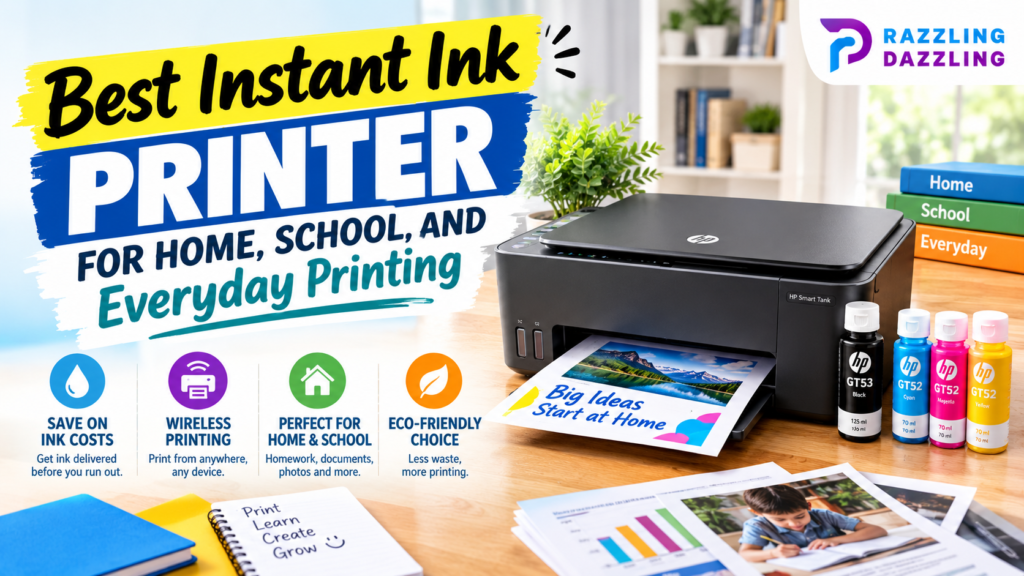
Printing at home can be surprisingly expensive when you regularly replace ink cartridges. Whether you print school assignments, work documents, forms, recipes, photos, or everyday household paperwork, running out of ink at the wrong time can quickly become frustrating. An Instant Ink printer can make ink management more convenient by connecting an eligible HP printer to HP’s subscription-based ink service.
HP says most printers manufactured within the last five years with Wi-Fi are eligible for Instant Ink, although compatibility varies by model. Its current compatible lineup includes printers from the DeskJet, ENVY, and OfficeJet families.
But which model is right for your household? A student who prints worksheets and assignments has different requirements from a family that prints photos and documents or a home office that handles larger workloads.
In this guide, we’ll explain what to look for in the best Instant Ink printer for home, school, and everyday printing, compare the main types of HP printers that support the service, and share practical tips for choosing a model that fits your printing habits.
What Is an Instant Ink Printer?
An Instant Ink printer is an eligible HP printer that can work with the HP Instant Ink subscription service. Instead of purchasing replacement cartridges only when they run out, subscribers select a printing plan based on their expected usage.
The printer communicates through its internet connection, allowing HP to monitor ink levels and send replacement cartridges when needed. This can reduce the need to remember when to purchase ink.
The important point is that Instant Ink is a service rather than a separate type of printer. You still need an eligible HP printer, and the available features depend on the particular model.
Before purchasing, check the current compatibility information for the exact printer you are considering.
Why Choose an Instant Ink Printer?
The biggest advantage is convenience.
Traditional cartridge users need to monitor ink levels and purchase replacements themselves. With a compatible Instant Ink setup, replacement ink can be handled through the subscription service.
This can be especially useful for households where printing is part of a regular routine.
Convenient Ink Management
One of the most useful benefits is reducing the chance of unexpectedly running out of ink during an important project.
If you print school assignments, forms, work documents, or family photos regularly, automatic replacement can make printing easier to manage.
Useful for Different Printing Volumes
Different households have different printing habits. Some people print only a few pages each month, while others may print dozens or hundreds.
The right subscription plan depends on your printing needs, so it is important to estimate your normal monthly usage before choosing a plan.
Wireless Printing
Many modern HP printers include wireless connectivity, allowing you to print from computers, phones, tablets, and other compatible devices.
For families and students, wireless printing can be particularly convenient because documents do not always have to be transferred to a single computer first.
All-in-One Functionality
Many popular HP home printers combine printing, scanning, and copying in one device.
This can save desk space and eliminate the need to purchase separate equipment for basic document scanning and copying.
Best Instant Ink Printer for Home Use
For general home printing, an HP ENVY-series Instant Ink-compatible printer can be a strong option when you need more versatility than a basic entry-level model.
HP currently positions its ENVY range toward families and users who need to handle documents, schoolwork, photos, and creative projects.
A model such as the HP ENVY 6400e series is designed around everyday household use and multifunction printing.
Why ENVY Printers Work Well at Home
A home printer often needs to do more than print black-and-white documents. Families may use the same printer for homework, forms, recipes, color charts, photographs, and occasional creative projects.
An ENVY-style all-in-one printer can therefore be useful for households looking for one machine to handle several tasks.
Look for features such as:
- Wireless connectivity
- Print, scan, and copy functionality
- Automatic document handling where available
- Mobile printing
- Color printing
- Photo printing support
- Easy setup and maintenance
The exact specifications vary between models, so always check the current product listing before buying.
Best Instant Ink Printer for School
Students often need a printer that is simple, affordable, and capable of handling everyday documents.
School printing may include essays, worksheets, research assignments, presentations, study notes, and occasional color graphics.
For lighter school workloads, an HP DeskJet-compatible Instant Ink printer can make sense. HP describes its DeskJet range as suitable for homes that print everyday color documents and for budget-conscious users.
What Students Should Look For
A good school printer should be:
Easy to use: Students should be able to start print jobs without dealing with complicated controls.
Compact: Desk space can be limited in bedrooms, dorm rooms, or study areas.
Wireless: Printing from a laptop, tablet, or phone can be convenient.
Affordable to operate: Ink costs matter when assignments are printed frequently.
Multifunctional: A printer with scanning and copying can be useful for school projects and documents.
If a student regularly prints large assignments or multiple projects, it may be worth choosing a model with better paper handling and faster printing rather than simply selecting the cheapest printer.
Best Instant Ink Printer for Everyday Printing
Everyday printing usually includes a mixture of documents rather than one specific type of job.
You might print shopping lists one day, schoolwork the next, and a form or color document later in the week.
For this kind of mixed use, an HP ENVY or DeskJet Instant Ink-compatible model can be suitable depending on your printing volume and required features.
The best choice should balance:
- Purchase price
- Printing features
- Ink management
- Wireless connectivity
- Print quality
- Scanning and copying
- Paper capacity
- Long-term operating costs
Don’t automatically choose the most expensive model. A printer with advanced office features may be unnecessary if you only print a few pages each week.
Best Instant Ink Printer for Home Office Use
Home offices generally require more demanding printing capabilities than occasional household use.
If you regularly print invoices, reports, contracts, presentations, spreadsheets, or multi-page documents, an HP OfficeJet Pro model may be more appropriate.
HP currently lists models such as the OfficeJet Pro 9025e among its Instant Ink-enabled printers.
OfficeJet Pro models are designed for users who need stronger productivity features and higher-performance printing than basic home printers.
Features to Consider for a Home Office
Look for:
- Faster print speeds
- Automatic two-sided printing
- Automatic document feeder
- Larger paper capacity
- Wireless networking
- Scanning and copying
- Mobile printing
- Good text quality
- Efficient document handling
A home office printer should save time as well as money. If you regularly scan multi-page documents, for example, an automatic document feeder can be much more useful than a lower purchase price.
Instant Ink vs. Traditional Ink Cartridges
The biggest difference is how you manage replacement ink.
With traditional cartridges, you purchase replacement cartridges when your existing supply becomes low.
With Instant Ink, you pay for a subscription plan based on printing needs and receive replacement ink through the service.
Neither approach is automatically best for everyone.
If you print very rarely, purchasing cartridges as needed may be simpler. If you print consistently and want automated ink management, a subscription can be more convenient.
Before subscribing, review the current plan terms, pricing, page allowances, and cancellation conditions.
How to Choose the Right Instant Ink Printer
1. Estimate Your Monthly Printing
Think about how many pages you normally print in an average month.
Don’t base your estimate on an unusually busy month unless that workload happens regularly.
Students, families, and home-office users can have very different printing patterns.
2. Decide Whether You Need Scanning and Copying
If you only need to print documents, a print-only model may be enough.
However, an all-in-one printer can be more useful for households and students because it combines printing, scanning, and copying.
3. Check Print Speed
Print speed matters more as your workload increases.
For occasional printing, a modest speed may be perfectly acceptable. For large assignments or office documents, a faster printer can save considerable time.
4. Consider Paper Handling
A larger paper tray means fewer interruptions when printing multiple documents.
If you frequently print long assignments, reports, or batches of documents, paper capacity becomes more important.
5. Check Wireless Features
Wireless printing is particularly useful when multiple people use the same printer.
Before buying, confirm that the printer supports the devices and operating systems you plan to use.
6. Think About Color Printing
If you only print text, black-and-white output may be your priority.
For school presentations, charts, photographs, crafts, and family projects, color printing can be much more important.
7. Check Current Instant Ink Compatibility
Printer lineups change over time. Always verify the exact model on HP’s current compatibility list before purchasing.
HP’s official compatibility page provides the latest information about eligible printers.
How to Save More on Home Printing
Choosing the right printer is only part of reducing printing expenses.
Use print preview before printing to prevent accidental pages. For documents that don’t need professional presentation, draft or economy settings may also help reduce ink consumption, depending on the printer.
Print only the pages you actually need, and use double-sided printing when appropriate.
For school and home-office documents, reviewing a file carefully before printing can prevent wasted pages caused by spelling errors, formatting problems, or incorrect information.
If your printer supports automatic duplex printing, take advantage of it for suitable documents.
Are Instant Ink Printers Worth It?
For the right user, an Instant Ink-compatible printer can be a convenient choice.
The main benefit is predictable and automated ink management. Instead of waiting until a cartridge is empty and then shopping for a replacement, the subscription is designed to help keep replacement ink available.
However, the value depends on how much you print and whether the subscription structure fits your habits.
Someone who prints only a handful of pages occasionally may prefer a traditional purchasing model. A household with regular schoolwork, documents, and color printing may find the convenience more valuable.
The best Instant Ink printer for home, school, and everyday printing depends on how you use your printer.
For light and budget-conscious printing, an eligible DeskJet model can be a practical starting point. For families needing a versatile all-in-one printer, an ENVY model can provide a useful balance of everyday features. For home offices and heavier workloads, an OfficeJet Pro model may offer the productivity features you need.
Most importantly, don’t choose a printer based only on its purchase price. Consider print volume, connectivity, paper handling, scanning and copying features, print speed, color requirements, and the ongoing cost and terms of your chosen ink solution.
At Razzling Dazzling, we believe technology buying decisions should be based on practical needs rather than marketing hype. Take time to compare your options, check current compatibility, and choose the printer that fits your real printing habits.
Frequently Asked Questions
1. What is the best Instant Ink printer for home use?
For general home use, an eligible HP ENVY or DeskJet model can be a practical choice depending on your printing volume and required features. Families wanting more versatility may prefer an all-in-one ENVY model.
2. What is the best Instant Ink printer for students?
An eligible HP DeskJet model can be suitable for students who primarily print assignments, worksheets, notes, and everyday documents. Look for wireless connectivity, compact design, and affordable ongoing printing.
3. Is HP Instant Ink worth it?
It can be worthwhile for people who print regularly and value automated ink replacement. Occasional printers should compare the subscription’s current terms with their normal ink purchasing habits before subscribing.
4. Do all HP printers support Instant Ink?
No. Instant Ink is available only on eligible HP printers. HP recommends checking its current compatibility list for the exact printer model before purchasing.
5. Can I use an Instant Ink printer for photos?
Yes, eligible HP color printers can be used for photo printing, although photo quality and supported paper sizes vary by model. If photographs are a major priority, check the printer’s photo specifications before buying.
6. What is better for a home office, DeskJet or OfficeJet Pro?
For heavier home-office workloads, an OfficeJet Pro model is generally more appropriate because the range is designed around productivity and higher-performance printing. A DeskJet can be sufficient for lighter everyday workloads.
7. Should I buy an all-in-one Instant Ink printer?
An all-in-one printer is useful if you need scanning and copying in addition to printing. If you only print documents and never scan or copy, a print-only model may be sufficient.
8. How do I choose the right Instant Ink plan?
Estimate your normal monthly printing volume and compare it with the current plans offered for your location. Consider how often you print, whether your usage changes significantly from month to month, and the current subscription terms.
Choose a Printer That Fits Your Everyday Needs
Ready to make home, school, or everyday printing easier? Explore Razzling Dazzling for more practical printer reviews, technology buying guides, and helpful tips designed to make your purchasing decisions simpler. Whether you’re looking for an affordable student printer, a versatile family all-in-one, or a capable home-office machine, our guides can help you understand the features that matter before you buy.