
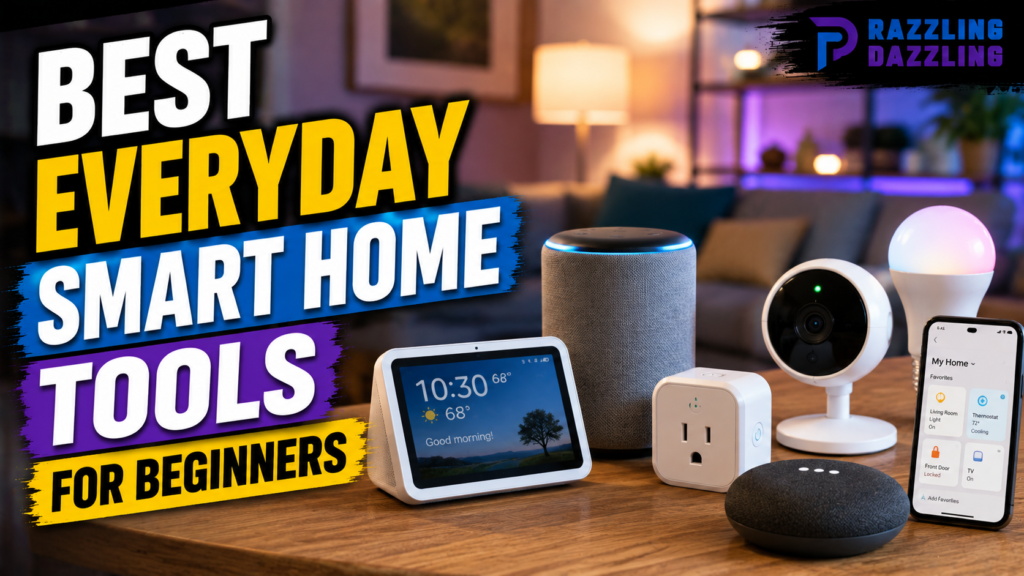
Smart home technology has become easier and more accessible than ever. You no longer need expensive equipment, complicated wiring, or advanced technical knowledge to make your home smarter. A few carefully selected devices can help automate everyday tasks, improve convenience, and give you more control over your living space.
For beginners, however, the number of available smart home products can feel overwhelming. Smart bulbs, plugs, speakers, cameras, sensors, thermostats, displays, and appliances all offer different features. The key is knowing which tools are actually useful for your daily routine.
The best everyday smart home tools for beginners are usually the ones that solve simple problems without requiring a complicated installation. Smart lighting can make rooms easier to manage, smart plugs can automate ordinary appliances, and motion sensors can trigger useful routines automatically.
At Razzling Dazzling, we believe smart technology should make life simpler rather than more complicated. Our guides focus on practical solutions, honest information, and easy-to-understand advice so you can choose technology with confidence.
What Are Smart Home Tools?
Smart home tools are connected devices that can communicate with a network and, in many cases, be controlled automatically or remotely.
Depending on the product, you may be able to control a device using:
- A smartphone app
- Voice commands
- A smart speaker
- A smart display
- Automated schedules
- Motion or environmental sensors
- Smart home routines
Some devices work independently, while others can communicate with multiple smart home products.
For beginners, it’s usually best to start with a few simple devices rather than trying to automate the entire home immediately.
Why Start With Everyday Smart Home Tools?
The best smart home upgrades don’t necessarily need to be impressive or complicated.
A useful device should solve a problem you encounter regularly.
For example, if you often forget to turn off a lamp, a smart plug or smart bulb can help. If you frequently adjust lighting throughout the day, smart lights can provide convenient control.
Simple automation can also reduce the number of repetitive tasks you need to remember.
The goal isn’t to add technology everywhere. It’s to use technology where it provides genuine value.
Smart Bulbs
Smart bulbs are among the easiest smart home products for beginners.
They can replace compatible traditional bulbs and provide additional control through an app, voice assistant, or automation system.
Depending on the model, features may include:
- Remote control
- Scheduling
- Dimming
- Adjustable color temperature
- Different lighting colors
- Automated routines
You might schedule bedroom lights to turn on in the evening or configure a hallway light to operate automatically at certain times.
Why Smart Bulbs Are Beginner-Friendly
Smart bulbs typically don’t require complicated installation.
In many cases, you simply install the bulb, connect it to the appropriate app, and follow the setup instructions.
For beginners, one or two bulbs are enough to learn how smart lighting works before expanding to additional rooms.
Smart Plugs
A smart plug is another excellent starting point.
It plugs into an ordinary electrical outlet and allows a compatible appliance to be controlled through a smart home system.
Common uses include:
- Lamps
- Fans
- Decorative lighting
- Certain small appliances
- Holiday lights
A smart plug can also provide scheduling features.
For example, you could schedule a lamp to turn on in the evening and switch off later automatically.
Important Smart Plug Considerations
Always check the plug’s electrical ratings and make sure the connected appliance is compatible.
A smart plug doesn’t automatically make every appliance “smart.” It generally controls whether power is supplied to the connected device.
Appliances that require manual controls after receiving power may not work as expected with automated switching.
Smart Speakers
Smart speakers can become a convenient control center for compatible devices.
Depending on the ecosystem, a smart speaker may allow you to use voice commands to control lights, plugs, thermostats, and other supported products.
They can also provide everyday functions such as:
- Timers
- Alarms
- Reminders
- Music
- Weather information
- General information
For beginners, a smart speaker can make smart home controls feel more natural because you don’t always need to open an app.
Smart Displays
A smart display combines voice-assistant functionality with a screen.
This can make certain smart home controls easier to understand visually.
Depending on the device and ecosystem, you may be able to see:
- Weather
- Timers
- Calendar information
- Supported cameras
- Smart home controls
- Media
A display can be especially useful if you prefer tapping controls instead of relying entirely on voice commands.
Motion Sensors
Motion sensors can make smart home automation more responsive.
Instead of manually turning something on, a sensor can detect movement and trigger an action in a compatible smart home system.
For example, a motion sensor could be used to activate a hallway light when someone enters the area.
Motion sensors are useful because they allow automation to happen based on what is happening in the home rather than simply following a fixed schedule.
Door and Window Sensors
Contact sensors can detect whether a door or window is open or closed.
They can be used for several practical purposes, depending on the smart home platform.
For example, a sensor could send a notification when a particular door is opened or help trigger an automation.
These devices are generally small and can be useful for learning how sensors interact with smart home routines.
Smart Thermostats
A smart thermostat can provide more advanced control over heating and cooling.
Depending on the model and home’s HVAC system, features may include:
- Scheduling
- Remote temperature control
- Temperature monitoring
- Energy-use information
- Automated adjustments
However, thermostats are more complicated than smart bulbs or plugs because compatibility with the home’s heating and cooling system must be checked.
For beginners, a smart thermostat is better considered as a second-stage upgrade rather than the first smart device.
Smart Temperature Sensors
Temperature sensors can provide information about conditions in different areas of a home.
They can be particularly useful when one room consistently feels different from another.
Depending on the ecosystem, temperature information may be used to support automation or simply provide monitoring.
These sensors can be a useful addition after you’ve become comfortable with basic smart home devices.
Smart Doorbells
A smart doorbell can combine a traditional doorbell with connected features.
Depending on the model, it may offer:
- Motion notifications
- Video monitoring
- Two-way communication
- Mobile alerts
- Activity history
Because smart doorbells involve security and privacy considerations, beginners should carefully review the manufacturer’s privacy policies, account security features, storage options, and notification settings before purchasing.
Smart Home Cameras
Connected cameras can provide remote monitoring of supported areas.
However, cameras should be approached more carefully than basic smart lighting.
Before purchasing one, consider:
- Where the camera will be positioned
- Who can access the footage
- How recordings are stored
- Whether cloud storage is required
- Account security
- Privacy settings
Avoid placing cameras in private spaces where recording would be inappropriate.
Smart LED Light Strips
Smart LED strips are an easy way to add decorative lighting to a room.
They can often be controlled through an app or compatible smart home system.
Common uses include:
- Behind a desk
- Around shelving
- Under cabinets
- Behind a television
- Decorative room lighting
They can add atmosphere without requiring major changes to a room.
Smart Buttons and Remote Controls
Some smart home systems support physical buttons or remote controls.
These can be useful when you don’t want to rely entirely on smartphone apps or voice commands.
For example, a physical button could activate a lighting scene or turn several compatible devices on or off.
This can make smart home automation feel more natural for everyday use.
Smart Sensors for Beginners
Sensors are the foundation of many useful automations.
Common beginner-friendly sensors include:
- Motion sensors
- Door sensors
- Window sensors
- Temperature sensors
- Light sensors
The benefit is simple: sensors allow your smart home to respond automatically.
Instead of saying, “Turn on the light,” you can create a routine that turns the light on when movement is detected under certain conditions.
Smart Home Hubs
A smart home hub can connect and coordinate compatible devices.
Some modern ecosystems allow many devices to work directly through WiFi, while others may use technologies such as Zigbee, Thread, or other connectivity standards.
Beginners don’t necessarily need to purchase a separate hub immediately.
Before buying one, check whether your chosen devices require a hub or can connect directly to your existing network.
Matter and Smart Home Compatibility
Interoperability is an important consideration when building a smart home.
Matter is an industry-supported smart home standard designed to improve compatibility between supported devices and ecosystems.
When shopping, look for compatibility information rather than assuming every smart product will work with every platform.
Choosing compatible devices from the beginning can make future expansion easier.
Start With One Smart Home Ecosystem
One common beginner mistake is buying devices from completely different ecosystems without checking compatibility.
Instead, consider starting with a platform you already use.
For example, if you already use a compatible voice assistant or smart home application, choosing devices that work well with that ecosystem may simplify setup.
This doesn’t mean you have to purchase everything from one manufacturer.
The important thing is to check compatibility before buying.
Create Simple Smart Home Routines
Automation is where smart home technology becomes especially useful.
A routine can combine multiple actions.
For example:
Morning routine:
- Turn on selected lights
- Provide a weather update
- Start a compatible appliance if appropriate
Evening routine:
- Dim certain lights
- Turn off selected devices
- Activate a supported security routine
The exact options depend on the smart home platform and compatible devices.
Start with one simple routine rather than creating a complicated system immediately.
Smart Home Tools for Energy Awareness
Some smart devices can help you understand how your home uses electricity.
Smart plugs with energy monitoring can provide information about the power consumption of connected devices.
This information can help you identify devices that consume more electricity than expected.
However, monitoring information doesn’t automatically guarantee energy savings. The biggest benefit comes from understanding your usage and making appropriate changes.
Smart Home Tools for Convenience
Convenience is one of the biggest reasons beginners choose smart home products.
Consider small repetitive tasks you perform every day.
Do you frequently turn the same lamp on and off?
Do you forget to switch off certain lights?
Do you want a reminder when a door opens?
Do you want a particular room to have lighting at a specific time?
These are good examples of situations where smart home technology can provide practical value.
Smart Home Tools for Home Office
Smart technology can also be useful in a home office.
Consider:
- Smart desk lamps
- Smart plugs
- Smart lighting
- Temperature sensors
- Smart speakers
- LED light strips
For example, a smart plug could control a compatible desk lamp, while a smart bulb could provide adjustable lighting for different times of day.
Keep the setup simple so technology doesn’t become a distraction from work.
Smart Home Tools for Entertainment
Entertainment is another common smart home category.
You might combine:
- Smart speakers
- Smart TVs
- Smart lighting
- Streaming devices
- Smart plugs
For example, compatible lighting can be dimmed when you’re watching a movie.
The important thing is to ensure that your devices can communicate with the same smart home ecosystem.
Security and Privacy Considerations
Smart home technology can make life easier, but connected devices also require responsible account and network security.
For devices that connect to your home network:
- Use strong, unique passwords.
- Enable multi-factor authentication when available.
- Keep firmware updated.
- Review connected-device permissions.
- Check privacy settings regularly.
- Avoid sharing account credentials.
- Purchase devices from reputable manufacturers.
For cameras, doorbells, and other devices that collect sensitive information, pay particular attention to data storage and account access.
Common Smart Home Mistakes Beginners Make
- Buying Too Many Devices at Once: Start small. A few useful devices are better than a house full of products you rarely use.
- Ignoring Compatibility: Always check whether products work with your preferred smart home platform.
- Choosing Features You Don’t Need: More features don’t automatically mean better value. Focus on functions you’ll actually use.
- Forgetting WiFi Coverage: A smart device still needs a reliable connection when it depends on WiFi.
- Creating Complicated Automations: Simple routines are easier to troubleshoot and maintain.
- Ignoring Security: Connected devices should be treated as part of your home network.
How to Start Building a Smart Home
A beginner-friendly approach can be very simple.
Step 1: Identify a Problem: Choose something you want to make easier.
Step 2: Buy One Device: Start with a smart bulb, smart plug, or compatible speaker.
Step 3: Learn the App: Understand how the device works before adding more.
Step 4: Create One Routine: Automate one simple task.
Step 5: Expand Gradually: Add sensors, lighting, or other tools only when they provide genuine value.
This approach keeps your smart home affordable and easier to manage.
What Are the Best Smart Home Tools for Beginners?
For most beginners, the most practical starting points are smart bulbs, smart plugs, smart speakers, motion sensors, and simple smart displays.
Smart bulbs are useful for lighting control, smart plugs can automate compatible appliances, and smart speakers can provide convenient voice control.
Once you’re comfortable with these products, you can explore thermostats, sensors, doorbells, cameras, and more advanced automation.
The best everyday smart home tools for beginners are not necessarily the most expensive or technically advanced products. The best tools are the ones that solve everyday problems and are easy to understand.
Start with something simple, such as a smart bulb or smart plug. Learn how the system works, then gradually add sensors, speakers, displays, or other devices.
Before purchasing anything, check compatibility with your preferred smart home platform and make sure your WiFi network can reliably support the devices you plan to install.
Smart home technology should make everyday life easier—not create another complicated system to manage.
At Razzling Dazzling, we’re dedicated to helping readers discover practical technology, home products, and lifestyle solutions. Our goal is to provide straightforward information that helps you shop smarter and use technology with confidence.
Frequently Asked Questions
1. What is the best smart home tool for beginners?
Smart bulbs and smart plugs are excellent starting points because they are relatively simple to install and can automate everyday tasks.
2. Do I need a smart home hub?
Not always. Some smart devices connect directly through WiFi or other supported technologies. Whether you need a hub depends on the devices and ecosystem you choose.
3. Are smart plugs worth buying?
Smart plugs can be useful for controlling compatible devices remotely or according to schedules. They are particularly helpful for lamps and other appliances that can safely operate when power is switched on.
4. Can I control smart home devices from my phone?
Many smart home products provide smartphone apps for setup, control, notifications, and automation. Features vary by manufacturer and device.
5. Do smart home devices work without WiFi?
It depends on the device. Some products rely heavily on WiFi, while others can use alternative communication technologies or local connections. Always check the manufacturer’s specifications.
6. What is Matter in smart home technology?
Matter is an industry-supported smart home standard intended to improve interoperability between compatible smart home devices and ecosystems.
7. Are smart home devices difficult to install?
Many beginner-friendly products are relatively easy to set up. Smart bulbs and plugs typically require less installation than products such as smart thermostats or wired doorbells.
8. Are smart home cameras safe to use?
They can be used responsibly, but privacy and account security are important. Use strong passwords, enable multi-factor authentication when available, keep firmware updated, and review privacy and storage settings.
9. How many smart home devices should a beginner buy?
There’s no required number. Starting with one or two useful devices is often better than buying many products before understanding how they work together.
10. Can smart home devices save energy?
Some devices can help monitor or automate energy use, but savings depend on how the devices are used. Smart technology doesn’t automatically guarantee lower energy consumption.
Ready to Build Your Smart Home?
You don’t need to automate your entire home at once. Start with one everyday problem and choose one simple device to solve it. A smart bulb, smart plug, or compatible smart speaker can give you an easy introduction to home automation without requiring a major investment.
As you become more comfortable, you can gradually build routines and add devices that genuinely improve your daily life.
Explore Razzling Dazzling for more smart home guides, technology reviews, buying advice, and practical ideas designed to make everyday living simpler, smarter, and more dazzling.