
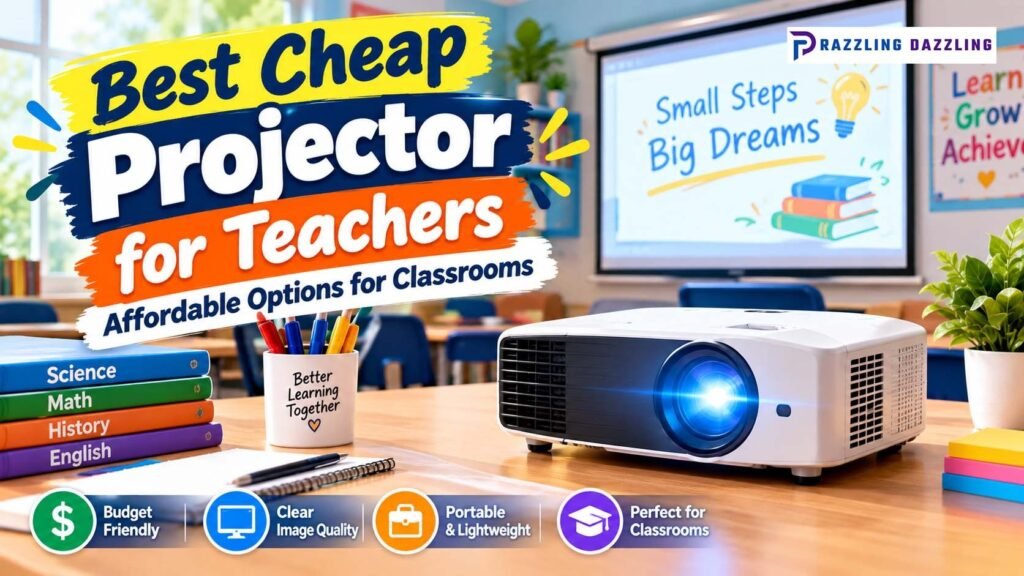
A projector can be one of the most useful teaching tools in a modern classroom. Teachers can use a large projected image to display presentations, educational videos, diagrams, worksheets, websites, lesson materials, and interactive activities. However, schools and teachers often have limited budgets, making it important to find an affordable projector without sacrificing the features that matter most.
The best cheap projector for teachers does not necessarily need 4K resolution, built-in streaming apps, or advanced entertainment features. Classroom use is different from home theater use. Teachers generally need a projector that produces a bright, readable image, connects easily to a laptop or other source, is simple to set up, and can withstand frequent use.
Current classroom projector guidance emphasizes brightness because classrooms often have windows, fluorescent lights, or other ambient light. Projectors also need to produce an image large enough for students sitting at the back of the room to see clearly.
What Makes a Projector Good for Teachers?
Before choosing an inexpensive projector, it helps to understand the features that actually matter in a classroom.
A good classroom projector should provide:
- Adequate brightness
- Clear text and graphics
- Suitable resolution
- Easy laptop connectivity
- Reasonable throw distance
- Reliable operation
- Convenient setup
- Low maintenance requirements
- A price that fits the school’s budget
Teachers often display text-heavy presentations, spreadsheets, charts, diagrams, and educational websites. Therefore, a projector that looks impressive for movies but produces a dim or difficult-to-read image in a bright classroom may not be a good teaching tool.
Why Brightness Matters in a Classroom
Brightness is one of the most important factors when choosing a classroom projector.
A classroom usually cannot be completely dark during a lesson. Teachers may need students to take notes, read textbooks, participate in activities, or move around the room while the projector is operating.
A brighter projector can make projected content easier to see in ambient light.
Current classroom buying guidance generally focuses on projectors around the 3,000–4,500-lumen range for many classrooms, although the appropriate brightness depends on room size, screen size, and how much ambient light is present.
Projector Central also emphasizes that classroom models need enough brightness to overcome ambient light while producing an image large enough for students in the back of the room.
Don’t Rely on Marketing Lumens Alone
Teachers should pay attention to how brightness is measured.
Some inexpensive projectors advertise extremely large lumen numbers without making the measurement method clear. When comparing models, look for recognized brightness specifications such as ANSI lumens or ISO lumens, rather than assuming a very large advertised number automatically means a brighter image.
This is particularly important when comparing inexpensive portable projectors with traditional education or business projectors.
What Resolution Do Teachers Need?
Resolution determines how much detail a projector can display.
For basic classroom presentations, lower resolutions such as XGA or WXGA can still be practical. However, Full HD 1080p provides noticeably more detail and can be especially useful when displaying:
- Small text
- Detailed diagrams
- High-resolution photographs
- Videos
- Websites
- Educational animations
For example, current classroom listings include models ranging from XGA and WXGA to Full HD. Projector Central lists the Epson EpiqVision Flex CO-FH02 with a 1920×1080 Full HD resolution and 3,000 ISO lumens.
If your budget allows, Full HD is a useful long-term choice, but teachers should not sacrifice brightness and reliability simply to get a higher resolution.
Best Cheap Projector Types for Teachers
Different classrooms have different requirements. Understanding the major projector categories can help you choose more effectively.
Budget Classroom Projectors
Traditional business and education projectors are often a strong choice for schools.
They may use lamp-based technology and offer high brightness, multiple inputs, and features designed for presentations.
The main advantage is that they are designed for environments where text, charts, and presentations need to remain visible under normal room lighting.
Portable Projectors
Portable projectors are useful for teachers who move between classrooms.
They are generally easier to carry and store than larger classroom projectors. However, many inexpensive portable models are designed primarily for dark rooms and entertainment rather than bright classrooms.
For this reason, teachers should check actual brightness specifications carefully before buying a mini projector.
Short-Throw Projectors
Short-throw models can produce a large image from a relatively short distance.
This can be helpful when a classroom has limited space between the projector and the projection surface.
Another advantage is that teachers and students are less likely to cast shadows across the projected image when standing near the board.
Laser Projectors
Laser projectors generally cost more than basic lamp models, but they can reduce maintenance requirements because they do not require traditional lamp replacement.
For schools planning to use a projector for many years, the higher initial cost may be worth considering when the total cost of ownership is taken into account.
Affordable Projector Features Teachers Should Prioritize
1. Brightness
Brightness should be near the top of your list.
For classrooms with significant ambient light, prioritize a model with enough measured brightness to keep presentations readable.
2. Resolution
WXGA can work well for basic presentations, while 1080p is preferable when detailed images and video are important.
3. HDMI Connectivity
HDMI is one of the most useful connections for modern classrooms.
It allows teachers to connect laptops, media players, and other compatible devices with a single cable.
4. VGA Connectivity
Although older, VGA can still be useful in schools that have older computers or existing classroom equipment.
A projector with both HDMI and VGA can provide additional flexibility.
5. Wireless Connectivity
Wireless projection can reduce cables and make it easier to share content from compatible devices.
However, wireless functionality should be considered an added convenience rather than a replacement for reliable wired connectivity.
6. Keystone Correction
Keystone correction helps correct image distortion when the projector is not perfectly aligned with the projection surface.
It can make setup faster, especially for teachers who frequently move or reposition their projector.
7. Built-In Speaker
A built-in speaker can be useful for short educational videos or presentations.
However, teachers should not expect a small projector speaker to replace a dedicated classroom sound system in a large room.
8. Lamp or Light-Source Life
Teachers should consider how long the projector’s lamp or light source is expected to operate.
Frequent classroom use can make replacement costs important. A projector with a longer-lasting light source can reduce maintenance interruptions.
Best Cheap Projector Options for Teachers
There are several categories of affordable classroom projectors worth considering.
Epson EpiqVision Flex CO-FH02
The Epson EpiqVision Flex CO-FH02 is an interesting option for teachers who want Full HD resolution without moving into premium classroom-projector pricing.
Projector Central lists it with 1920×1080 resolution and 3,000 ISO lumens, making it substantially more classroom-oriented than many very low-cost mini projectors. It also offers portable functionality and built-in smart features.
This type of projector can be attractive for teachers who need to move between rooms while still wanting a detailed Full HD image.
ViewSonic PA-Series Classroom Projectors
ViewSonic’s PA-series includes education and business-oriented projectors designed around brightness and presentation use.
Current Bangladesh listings include the ViewSonic PA700W, which is listed with 4,500 ANSI lumens and WXGA resolution, and the PA700X, listed with 4,500 ANSI lumens and XGA resolution.
These specifications illustrate an important point: a classroom projector does not necessarily need Full HD if brightness and presentation readability are the higher priorities.
BenQ MX560
The BenQ MX560 is another example of a budget-oriented business projector suitable for presentation environments.
A current Bangladesh listing identifies it with 4,000 ANSI lumens and XGA resolution, along with features intended for presentation use.
For teachers primarily displaying slides, text, charts, and classroom materials, this type of high-brightness presentation projector can be more practical than a low-cost home-theater projector.
Epson EB-W53
The Epson EB-W53 is another education-oriented option listed in current Bangladesh projector guidance.
It is listed with approximately 4,000 lumens and WXGA resolution, with features such as wireless functionality and a 16:10 aspect ratio.
The wider 16:10 format can be useful for modern laptop presentations because it provides additional horizontal workspace compared with older 4:3 formats.
Cheap Mini Projectors: Are They Good for Classrooms?
Very inexpensive mini projectors can look attractive because they are compact and affordable.
However, teachers should be careful when choosing one for a classroom.
Current Bangladesh listings show some inexpensive portable projectors with Full HD support but only a few hundred ANSI lumens. For example, several budget models currently listed by retailers fall around the 120–400 ANSI-lumen range.
These models can be suitable for dark rooms, small groups, or occasional personal use, but they may struggle in a bright classroom.
The important lesson is simple:
A projector being cheap and Full HD does not automatically make it suitable for classroom teaching.
For classrooms, brightness and readability often matter more than having a long list of smart features.
Projector Size and Classroom Distance
Throw distance refers to the distance between the projector and the projection surface.
A standard projector may need to be positioned several feet away from the screen to create a large image. If the classroom is small, this can create installation challenges.
A short-throw projector can produce a large image from a shorter distance.
Before buying, measure:
- Distance from the mounting location to the board
- Available screen or wall width
- Ceiling height
- Student viewing positions
- Projector mounting options
This prevents a common mistake: buying a projector first and discovering that it cannot create the desired image size from the available location.
Connectivity for Teachers
A projector should make connecting teaching equipment easy.
At minimum, HDMI is highly desirable. Depending on the classroom environment, VGA, USB, audio output, and wireless connectivity may also be useful.
Teachers should consider what devices they actually use.
For example, if most lessons come from a laptop, HDMI may be the most important connection. If teachers frequently share content from tablets or phones, wireless projection could be more useful.
Schools should also consider whether the projector can integrate with existing classroom equipment rather than requiring an entirely new setup.
How to Set Up a Budget Projector in a Classroom
Once you have chosen the projector, proper placement can make a major difference.
Choose the Best Projection Surface
A dedicated projector screen usually provides better consistency than a textured or uneven wall.
If a screen is not available, use the smoothest suitable light-colored surface possible.
Reduce Unnecessary Glare
You do not necessarily need to make the classroom completely dark. However, reducing direct sunlight or bright light falling onto the screen can significantly improve visibility.
Curtains or blinds can be helpful in classrooms with large windows.
Position the Projector Correctly
Keep the projector as level and centered as practical.
This can reduce distortion and minimize the need for digital correction.
Adjust Image Size
Do not automatically make the image as large as possible.
The projected image should be large enough for students at the back to read but still bright and sharp.
How Teachers Can Save Money
Buying the cheapest projector is not always the cheapest long-term solution.
Consider the total cost of ownership.
A slightly more expensive projector may offer:
- Better brightness
- Longer light-source life
- Lower maintenance requirements
- Better connectivity
- More reliable operation
- Better warranty support
Also consider replacement lamps if choosing a lamp-based model.
A low initial purchase price can become less attractive if the projector requires frequent maintenance.
Common Mistakes to Avoid
- Choosing Based Only on Price: A very cheap projector may have poor brightness or limited durability.
- Believing Inflated Lumen Claims: Always look for clearly stated, standardized brightness measurements where possible.
- Prioritizing 4K Over Brightness: For most classrooms, 4K resolution is not the first feature to prioritize. Brightness and readability are generally more important.
- Ignoring Ambient Light: A projector that looks excellent in a dark room may appear washed out in a classroom.
- Forgetting Connectivity: Make sure the projector works with the computers and other devices teachers actually use.
- Buying Without Measuring the Room: Throw distance and image size matter. Measure the classroom before purchasing.
The best cheap projector for teachers should provide the right balance between affordability, brightness, image quality, connectivity, reliability, and maintenance.
For many classrooms, a bright business or education projector can be a better value than an ultra-cheap mini projector. Current classroom guidance emphasizes brightness and image size because students need to see projected content clearly even when classrooms contain ambient light.
Full HD is a valuable feature when teachers display detailed images and video, but it should not come at the expense of adequate brightness. For basic presentations, WXGA or even XGA can still be practical when paired with strong brightness and good classroom placement.
Frequently Asked Questions
1. What is the best cheap projector for teachers?
The best cheap projector for teachers should offer sufficient brightness, clear resolution, reliable connectivity, and reasonable maintenance costs. Bright education and business projectors are often better classroom choices than very inexpensive mini projectors.
2. How many lumens should a classroom projector have?
The appropriate brightness depends on classroom size and ambient light. Current guidance commonly places many classroom needs around 3,000–4,500 lumens, with brighter rooms requiring more light output.
3. Is 1080p necessary for a classroom projector?
No. 1080p provides sharper detail, especially for video and small text, but WXGA or XGA can still be suitable for basic presentations. Brightness and readability should also be considered.
4. Are cheap mini projectors good for teachers?
Some mini projectors can work for small groups or dark rooms, but many inexpensive models have relatively low ANSI brightness and may struggle in classrooms with ambient light.
5. Should teachers choose a laser or lamp projector?
Both can work well. Lamp projectors can offer lower upfront costs, while laser models can reduce maintenance associated with lamp replacement. The best choice depends on the school’s budget and expected usage.
6. What connectivity should a classroom projector have?
HDMI is one of the most useful connections for modern classrooms. VGA, USB, audio connections, and wireless projection can provide additional flexibility depending on the teacher’s equipment.
7. Do teachers need a 4K projector?
Most teachers do not need 4K for ordinary classroom presentations. A bright projector with suitable resolution and reliable connectivity is generally a more practical priority.
8. How can I make a projector easier to see in a bright classroom?
Choose a sufficiently bright projector, reduce direct sunlight on the projection surface, use blinds or curtains when possible, select an appropriate screen, and position the projector correctly.
At Razzling Dazzling, we believe good technology choices are about finding the right balance rather than simply buying the cheapest product. For teachers, a projector that is bright, reliable, easy to connect, and affordable to maintain can become a valuable part of everyday teaching.