
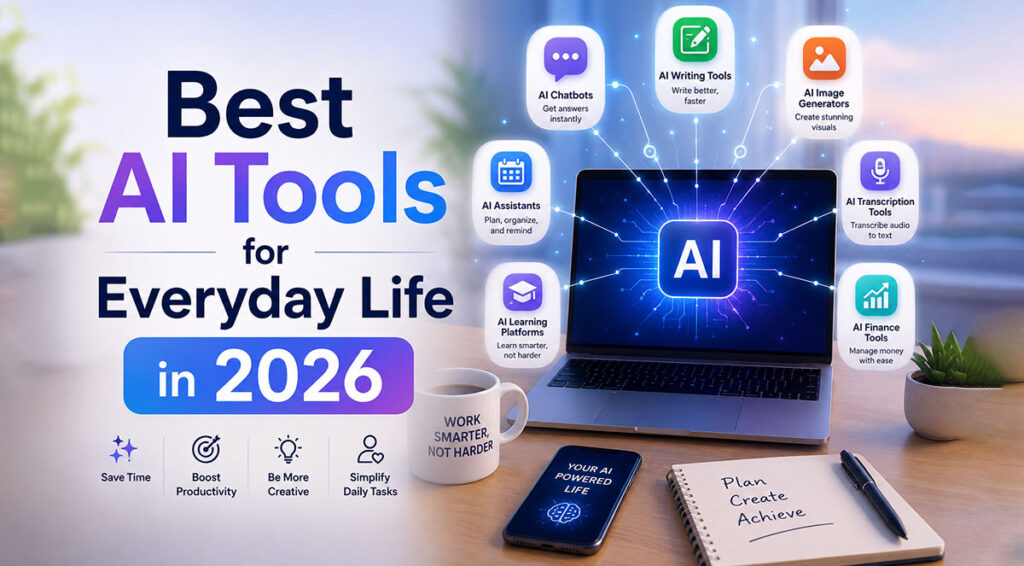
Artificial Intelligence is no longer just for tech experts. In 2026, AI tools have become part of everyday life — helping people write faster, organize homes, manage money, study smarter, and improve productivity.
Whether you are a student, freelancer, office worker, content creator, or business owner, AI can save time and make daily tasks easier. The best part? Many AI tools are beginner-friendly and require little to no technical knowledge.
In this guide, we’ll explore the best AI tools for everyday life in 2026, including their features, pros, cons, and real-world uses.
Why AI Tools Matter in Daily Life
AI tools help automate repetitive work, improve creativity, and boost efficiency. Instead of spending hours on small tasks, AI can complete them within minutes.
Benefits of AI Tools:
- Save time and energy
- Improve productivity
- Help with learning and research
- Reduce manual work
- Increase creativity
- Simplify organization and planning
Now let’s explore the top AI categories people use daily.
1. Best AI Writing Tools
AI writing tools help create emails, blog posts, social media captions, essays, summaries, and more.
ChatGPT
One of the most popular AI assistants for writing, brainstorming, coding, and answering questions.
Beginner-Friendly Example:
A student can ask ChatGPT to summarize a long article in simple language.
Pros:
- Easy to use
- Fast responses
- Great for brainstorming
- Supports multiple languages
Cons:
- Sometimes gives outdated information
- Needs fact-checking for important topics
Grammarly
An AI-powered grammar and writing assistant that improves spelling, tone, and clarity.
Beginner-Friendly Example:
Use Grammarly while writing emails to sound more professional.
Pros:
- Excellent grammar correction
- Tone suggestions
- Works in browsers and apps
Cons:
- Advanced features require paid version
- Limited creativity support
Notion AI
Perfect for note-taking, content planning, and document organization.
Beginner-Friendly Example:
Create meeting summaries automatically from notes.
Pros:
- Combines productivity and writing
- Great for teams
- Clean interface
Cons:
- Can feel overwhelming for new users
- Some AI features are premium
2. Best AI Image Editing Tools
AI image tools make editing photos and creating visuals easier than ever.
Canva AI
Canva offers AI-powered image generation, background removal, and design suggestions.
Beginner-Friendly Example:
Create Instagram posts with AI-generated graphics in minutes.
Pros:
- Very beginner-friendly
- Thousands of templates
- Drag-and-drop editor
Cons:
- Some premium assets locked
- Limited advanced editing
Adobe Express AI
A lightweight AI design tool for social media graphics, posters, and quick editing.
Beginner-Friendly Example:
Remove image backgrounds automatically for product photos.
Pros:
- Professional-quality output
- Easy editing tools
- AI-generated templates
Cons:
- Requires Adobe account
- Some features need subscription
Remove.bg
A simple AI tool for removing image backgrounds instantly.
Beginner-Friendly Example:
Remove backgrounds from profile pictures with one click.
Pros:
- Extremely easy
- Fast processing
- No editing skills needed
Cons:
- Limited free downloads
- Less control over fine details
3. Best AI Productivity Tools
AI productivity apps help manage schedules, tasks, meetings, and workflows.
Motion
An AI calendar and task management app that automatically schedules your work.
Beginner-Friendly Example:
Motion rearranges your tasks if a meeting gets delayed.
Pros:
- Smart scheduling
- Reduces planning stress
- Excellent for busy professionals
Cons:
- Paid subscription
- Takes time to set up
Otter.ai
AI-powered meeting transcription and note-taking tool.
Beginner-Friendly Example:
Record online classes and get automatic notes.
Pros:
- Accurate transcriptions
- Saves meeting history
- Helpful for students and teams
Cons:
- Free version has limits
- Requires internet connection
Todoist AI Assistant
An AI-enhanced task manager for organizing daily goals and routines.
Beginner-Friendly Example:
Convert a rough task list into a structured daily plan.
Pros:
- Clean design
- Easy task organization
- Good collaboration features
Cons:
- AI features are still evolving
- Premium required for advanced use
4. Best AI Tools for Home Organization
AI is also helping people organize their homes and daily routines.
Google Home
AI-powered smart home system for controlling lights, reminders, and devices.
Beginner-Friendly Example:
Use voice commands to turn off lights or set reminders.
Pros:
- Voice control convenience
- Smart automation
- Works with many devices
Cons:
- Privacy concerns
- Requires compatible hardware
Tody
An intelligent cleaning and home management app.
Beginner-Friendly Example:
Track when to clean rooms or organize tasks.
Pros:
- Easy household tracking
- Reduces forgotten chores
- Family sharing support
Cons:
- Some features are paid
- Manual setup needed initially
5. Best AI Budgeting and Finance Tools
Managing money becomes easier with AI-powered budgeting apps.
YNAB (You Need A Budget)
A smart budgeting platform that helps users control spending and savings.
Beginner-Friendly Example:
Track monthly expenses automatically.
Pros:
- Strong budgeting system
- Helps reduce overspending
- Financial goal tracking
Cons:
- Paid app
- Learning curve for beginners
Cleo
An AI finance assistant with conversational budgeting support.
Beginner-Friendly Example:
Ask Cleo how much money you can safely spend this week.
Pros:
- Fun chatbot interface
- Spending insights
- Beginner-friendly
Cons:
- Limited outside supported regions
- Premium features locked
6. Best AI Tools for Study and Work Assistance
Students and professionals now rely heavily on AI for learning and research.
Perplexity AI
An AI search assistant that provides quick answers with sources.
Beginner-Friendly Example:
Research a topic and get summarized explanations instantly.
Pros:
- Fast research support
- Source citations
- Easy interface
Cons:
- Sometimes oversimplifies topics
- Requires verification
Khanmigo by Khan Academy
An AI tutor designed to help students learn subjects interactively.
Beginner-Friendly Example:
Practice math problems with guided hints.
Pros:
- Excellent educational support
- Interactive learning
- Student-friendly design
Cons:
- Limited availability in some regions
- Best experience requires subscription
GitHub Copilot
An AI coding assistant for developers and learners.
Beginner-Friendly Example:
Auto-complete programming code while learning to code.
Pros:
- Speeds up coding
- Great learning aid
- Supports multiple languages
Cons:
- Can suggest incorrect code
- Requires coding basics
How to Choose the Right AI Tool
Not every AI tool is perfect for everyone. Before choosing one, consider:
1. Your Goal
Do you need help with writing, budgeting, studying, or organization?
2. Ease of Use
Beginners should start with simple tools like Canva AI or ChatGPT.
3. Pricing
Many tools offer free plans, but premium versions unlock advanced features.
4. Privacy
Check how your data is stored and used.
5. Device Compatibility
Make sure the app works on your phone or computer.
Are AI Tools Safe to Use?
Most mainstream AI tools are safe when used responsibly. However, users should:
- Avoid sharing sensitive personal information
- Double-check AI-generated facts
- Use strong passwords
- Read privacy policies
AI should assist humans — not fully replace human judgment.
Final Thoughts
AI tools in 2026 are smarter, faster, and more accessible than ever before. From writing emails and editing images to managing budgets and organizing homes, AI is becoming an essential part of everyday life.
The good news is that you don’t need to be a tech expert to benefit from AI. Many modern tools are designed for beginners and can instantly improve productivity and simplify daily tasks.
Start with one or two AI tools that match your needs, experiment with their features, and gradually build smarter digital habits.
As AI technology continues to grow, learning how to use these tools effectively can save time, improve creativity, and make life significantly easier.
Frequently Asked Questions (FAQs)
What is the best AI tool for beginners?
ChatGPT and Canva AI are among the easiest AI tools for beginners.
Are AI tools free?
Many AI tools offer free versions with optional premium upgrades.
Can AI improve productivity?
Yes. AI helps automate repetitive tasks, organize schedules, and simplify workflows.
Which AI tool is best for students?
Khanmigo by Khan Academy and Perplexity AI are excellent for learning and research.
Are AI tools worth using in 2026?
Absolutely. AI tools save time, increase efficiency, and support both personal and professional growth.