
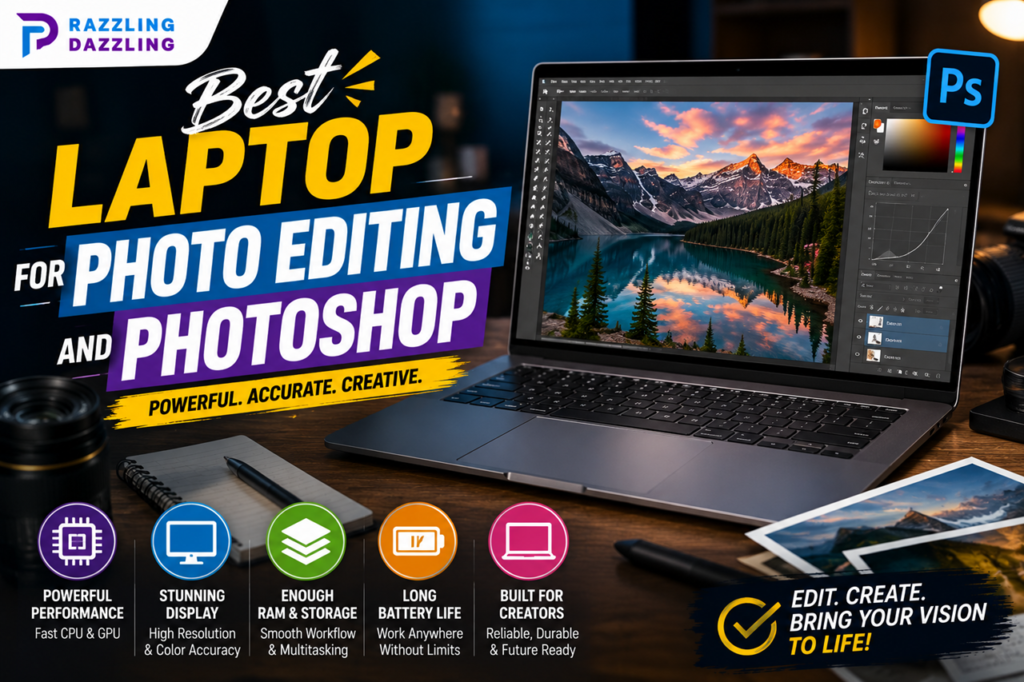
Choosing the best laptop for photo editing and Photoshop is about more than buying the laptop with the fastest processor. Photographers and designers need a combination of processing power, memory, fast storage, graphics performance, and—perhaps most importantly—a high-quality, color-accurate display.
Adobe’s current guidance shows that Photoshop can run on relatively modest hardware, but more demanding creative workloads benefit from additional RAM, GPU resources, and a fast SSD. For Photoshop Elements 2026, Adobe recommends 16GB of RAM for HD media and 32GB or more for 4K media, along with 4GB of GPU memory and a fast internal SSD.
For professional photo editing, current laptop testing highlights models such as the Apple MacBook Pro 14-inch with M5 Pro, Dell XPS 16, and ASUS ProArt P16 as particularly capable choices. TechRadar currently ranks the 14-inch MacBook Pro with M5 Pro as its overall pick, while RTINGS recommends the MacBook Pro 14 for demanding photo-editing workloads and the ASUS ProArt P16 among Windows options.
At Razzling Dazzling, we focus on practical technology guides that help readers understand what they are buying. This guide explains which laptop features matter most for Photoshop and photo editing and how to choose a machine that fits your skill level and workflow.
What Makes a Good Laptop for Photoshop?
Photoshop can be used on many different laptops, but a better-equipped machine can make editing large RAW files, working with multiple layers, applying filters, and handling large projects much smoother.
When shopping for a photo-editing laptop, pay particular attention to:
- Processor performance
- RAM capacity
- SSD storage
- Display quality
- Color accuracy
- Graphics capability
- Battery life
- Port selection
- Cooling
- Upgradeability
The right combination depends on whether you’re editing occasional family photos, building a professional photography portfolio, or working with thousands of high-resolution images.
1. Apple MacBook Pro — Best Overall for Photo Editing
The MacBook Pro 14-inch with M5 Pro is currently one of the strongest choices for photographers and Photoshop users.
TechRadar’s latest 2026 testing ranks the 14-inch MacBook Pro with M5 Pro as its best overall photo-editing laptop. The machine combines strong Photoshop performance with a 14-inch Liquid Retina XDR display, wide P3 color gamut, and configurations offering substantial memory and storage.
The display is particularly important for photographers because accurate color representation allows you to make more confident adjustments to exposure, contrast, saturation, and other image properties.
The MacBook Pro is also attractive for photographers who travel frequently. Its combination of performance, display quality, and battery life makes it suitable for editing away from a desktop workstation.
Best for: Professional photographers, designers, and serious Photoshop users.
2. Dell XPS 16 — Best Windows Alternative
If you prefer Windows, the Dell XPS 16 is an impressive option.
TechRadar currently lists it as its best MacBook alternative for photo editing. Its 16-inch 3K OLED touchscreen offers 100% DCI-P3 coverage, while configurations can include up to 32GB of RAM. The large display provides plenty of workspace for Photoshop panels, image previews, and detailed editing.
The XPS 16 is particularly appealing if you want a premium Windows laptop with a large, high-quality screen.
One drawback is its limited selection of built-in ports, which may mean photographers need a hub or adapter when connecting additional accessories.
Best for: Windows users who want a premium creative laptop.
3. ASUS ProArt P16 — Excellent for Creative Professionals
The ASUS ProArt P16 is designed specifically with creative professionals in mind.
RTINGS recommends the ProArt P16 among its Windows photo-editing choices, highlighting its high-resolution OLED display, powerful processor options, discrete NVIDIA graphics, and upgradeable SSD design.
The high-resolution display can be particularly useful when working with detailed photographs. The machine also provides hardware that can handle demanding creative applications.
For photographers who want Windows flexibility and a machine built around creative workloads, the ProArt line is worth considering.
Best for: Photographers, designers, and creators who need strong Windows performance.
4. MacBook Air — Best Portable Choice
You don’t necessarily need a MacBook Pro to edit photos.
The MacBook Air is a compelling option for photographers who prioritize portability and don’t regularly perform extremely demanding creative workloads.
TechRadar currently lists the MacBook Air with M5 as its best portable photo-editing laptop. Its compact design makes it easy to carry between home, school, work, or photography locations.
For photographers who primarily edit JPEGs, moderate-sized RAW files, social-media content, and occasional projects, the Air can provide a strong balance between portability and performance.
Best for: Students, hobbyist photographers, and creators who travel frequently.
5. HP Victus 15 — Budget-Friendly Option
If you’re shopping on a tighter budget, a gaming-oriented laptop can sometimes provide excellent value for Photoshop.
TechRadar currently lists the HP Victus 15 as its best budget photo-editing choice. Its hardware is designed to handle more demanding workloads than many inexpensive everyday laptops, while its display provides 100% sRGB coverage in the configuration reviewed by TechRadar.
A budget laptop won’t necessarily offer the same display quality or premium construction as a professional creator laptop, but it can be a practical option for beginners.
Best for: Students, beginners, and budget-conscious photo editors.
How Much RAM Do You Need for Photoshop?
RAM has a significant effect on multitasking and large Photoshop projects.
For basic editing, 16GB is a sensible target. If you frequently work with large RAW files, multiple Photoshop documents, many layers, or other creative applications simultaneously, 32GB can provide more breathing room.
Adobe’s current Photoshop Elements guidance recommends 8GB as a baseline and 16GB for HD media, while 32GB or more is recommended for 4K media workflows.
For a laptop you plan to keep for several years, choosing 32GB can be worthwhile if your budget allows it.
How Much Storage Do You Need?
Photo files can consume storage surprisingly quickly.
RAW photographs are much larger than ordinary JPEG images, and photographers may also need space for catalogs, exports, Photoshop scratch files, applications, and backups.
A 512GB SSD can work for lighter users, but 1TB is a much more comfortable starting point for regular photo editing.
Professional photographers who maintain large local libraries may want more internal storage or a combination of internal and external SSD storage.
A fast SSD is important because it can improve file transfers, application loading, and overall system responsiveness. Adobe also recommends a fast internal SSD for application installation and cache workloads.
Why Display Quality Matters So Much
For photographers, the screen is one of the most important parts of the laptop.
A fast processor won’t help much if the display doesn’t represent colors accurately.
Look for:
- High resolution
- Strong color accuracy
- Wide color gamut
- Good brightness
- Consistent viewing angles
- Suitable contrast
- Factory calibration where available
For general digital content, 100% sRGB coverage is a useful target. More demanding photo and print workflows can benefit from wider-gamut displays.
TechRadar’s current photo-editing guidance notes 100% sRGB as a suitable target for digital content and recommends wider color coverage for more demanding photo and video workflows.
OLED vs. Mini-LED for Photo Editing
Both OLED and Mini-LED displays can be excellent for photography.
OLED displays are known for deep blacks and strong contrast, while Mini-LED displays can provide high brightness and excellent HDR performance.
Instead of choosing based solely on panel technology, look at the actual display’s color accuracy, gamut coverage, resolution, brightness, and calibration.
A well-calibrated display is more important than simply choosing a display because it has an OLED or Mini-LED label.
Do You Need a Dedicated GPU for Photoshop?
Not every Photoshop user needs a powerful dedicated graphics card.
Basic photo editing can work well with integrated graphics on a capable modern processor.
However, a stronger GPU can become more valuable when you’re working with demanding effects, AI-assisted features, large projects, high-resolution files, or other creative applications.
Adobe’s current Photoshop Elements requirements recommend 4GB of GPU memory for more demanding media workflows.
If you also edit video, use 3D applications, or work with other GPU-intensive creative software, investing in a laptop with a dedicated GPU may make more sense.
What Processor Should You Choose?
A modern multi-core processor can make a noticeable difference when editing large images and running several applications.
Current high-end photo-editing laptops use processors such as Apple’s M-series chips and modern Intel and AMD processors.
For beginners, you don’t need the most expensive processor available.
Instead, prioritize a balanced configuration with:
- A modern processor
- At least 16GB RAM
- Fast SSD storage
- A quality display
- Suitable graphics performance
A balanced system generally provides better value than spending most of your budget on the processor alone.
Battery Life for Photographers
Battery life matters if you edit away from a desk.
Photographers may work at events, studios, travel locations, cafés, or other places where power outlets aren’t always convenient.
Apple’s MacBook Air and MacBook Pro models are particularly attractive for mobile workflows because of their combination of performance and battery efficiency.
Windows creator laptops vary considerably, especially models with powerful dedicated graphics.
If portability is important, consider both battery performance and charger size when choosing your laptop.
Port Selection Matters Too
Photographers often connect more than just a charger.
You may use:
- SD card readers
- External SSDs
- USB accessories
- External monitors
- Camera equipment
- Docking stations
A laptop with useful built-in ports can make your workflow easier.
If a laptop has limited ports, a good USB-C hub or dock can solve the problem, but it adds another accessory to carry.
Mac or Windows for Photoshop?
Both operating systems can work well for Photoshop.
Adobe supports Photoshop across Windows and macOS, so your decision should depend on your preferred workflow, other software, hardware preferences, and budget.
MacBooks are particularly popular among creative professionals because of their displays, performance, battery efficiency, and overall integration.
Windows laptops provide more variety in pricing, hardware configurations, upgrade options, and dedicated GPU choices.
There is no universal winner.
Choose the platform that works best with your existing devices and software.
Best Laptop Specs for Different Users
For Beginners
A laptop with 16GB RAM, a modern processor, 512GB SSD, and a good Full HD or better display can be sufficient for learning Photoshop and editing everyday photographs.
For Enthusiasts
Consider 16GB to 32GB RAM, a 1TB SSD, a high-quality color-accurate display, and a stronger processor.
For Professional Photographers
32GB or more RAM, 1TB or more storage, a wide-gamut display, powerful processing, and strong connectivity are worth considering.
For Hybrid Photo and Video Creators
If you edit both photos and high-resolution video, prioritize 32GB or more RAM, a powerful processor, dedicated graphics where appropriate, and generous fast storage.
How to Choose a Laptop for RAW Photo Editing
RAW files contain much more image information than compressed JPEG files, making them excellent for detailed editing but more demanding to process and store.
If RAW photography is a major part of your workflow, prioritize:
- At least 16GB RAM
- Fast SSD storage
- Modern processor
- Color-accurate display
- Good cooling
- Sufficient storage capacity
If you regularly process hundreds of RAW files, 32GB RAM and a larger SSD can make your workflow more comfortable.
How to Choose a Laptop for Photoshop and Lightroom
Many photographers use Photoshop alongside Lightroom.
Lightroom is particularly useful for organizing, managing, and batch-processing large photo libraries, while Photoshop provides more detailed layer-based editing.
Because you’re running multiple applications and potentially handling many large files, additional RAM and fast storage become more valuable.
A 32GB configuration is worth considering for serious workflows.
Don’t Forget External Storage
Even a laptop with a large SSD can eventually run out of space.
Photographers should consider maintaining a separate backup system rather than keeping every photograph on a single laptop.
External SSDs can provide fast additional storage for active projects, while separate backup drives can provide another layer of protection.
The key principle is simple: don’t rely on one copy of important photographs.
Common Laptop Buying Mistakes for Photo Editing
- Choosing a Laptop With a Poor Display: A fast laptop isn’t useful for professional color work if the display is inaccurate.
- Buying Too Little RAM: 8GB may be enough for basic requirements in some software, but 16GB or more is a more practical target for modern photo-editing workflows.
- Choosing a Small SSD: Large photo libraries can quickly consume storage.
- Focusing Only on Processor Speed: A balanced system is more important than one impressive specification.
- Ignoring Ports: Photographers often need to connect external storage and memory cards.
Buying More GPU Power Than You Need
A powerful dedicated GPU can be useful, but it isn’t necessary for every Photoshop user.
The best laptop for photo editing and Photoshop should provide a combination of processing performance, sufficient RAM, fast storage, strong graphics capability where necessary, and an excellent color-accurate display.
For demanding professional workflows, the MacBook Pro 14-inch with M5 Pro currently stands out among top-rated options, while the Dell XPS 16 and ASUS ProArt P16 are strong choices for Windows users. For photographers who prioritize portability, the MacBook Air offers a more lightweight alternative, while budget-conscious users can look toward capable models such as the HP Victus 15.
Before buying, consider how you actually edit photographs. A beginner working with occasional JPEGs doesn’t need the same hardware as a professional photographer processing thousands of RAW files.
At Razzling Dazzling, we believe good technology decisions start with understanding your real needs. Our reviews, buying guides, and practical technology content are designed to help you compare options and choose products with confidence.
Frequently Asked Questions
1. What is the best laptop for Photoshop and photo editing?
The best choice depends on your workflow, but current 2026 testing highlights the Apple MacBook Pro 14-inch with M5 Pro, Dell XPS 16, and ASUS ProArt P16 among strong options for serious photo editing.
2. Is 16GB RAM enough for Photoshop?
Yes, 16GB can be a good starting point for many photo-editing workflows. If you regularly work with very large files, multiple applications, or demanding projects, 32GB or more can provide additional headroom.
3. Is 32GB RAM better for photo editing?
For professional photographers and users working with large RAW files, 32GB can be beneficial. Adobe’s current guidance recommends 32GB or more for 4K media workflows in Photoshop Elements.
4. Do I need a dedicated graphics card for Photoshop?
Not necessarily. Many photo-editing workflows can run on integrated graphics, but a dedicated GPU can be useful for demanding effects, AI features, high-resolution projects, and other creative applications.
5. Is a MacBook good for Photoshop?
Yes. Photoshop runs on macOS, and current testing places MacBook Pro models among the strongest laptops for photo editing.
6. Is a Windows laptop good for Photoshop?
Absolutely. Windows offers many capable photo-editing laptops, including creator-focused models such as the Dell XPS 16 and ASUS ProArt P16.
7. How much storage does a photographer need?
For regular photo editing, 1TB is a comfortable target for many users. Photographers with large RAW libraries may need additional external storage and a proper backup system.
8. Is OLED good for photo editing?
OLED can be excellent for photo editing because of its strong contrast and image quality. However, color accuracy, gamut coverage, brightness, and calibration are more important than the display technology alone.
9. What screen resolution is best for Photoshop?
A high-resolution display provides more workspace and can show fine image details more clearly. A 1920×1080 display can work for basic editing, while higher-resolution displays are attractive for professional workflows.
10. Should I buy a gaming laptop for photo editing?
A gaming laptop can be a capable photo-editing machine because it often includes a strong processor and GPU. However, check the display carefully because color accuracy is especially important for photography.
Ready to Upgrade Your Photo Editing Setup?
Start by identifying your editing workload and budget. If you’re primarily editing photos, prioritize a color-accurate display, enough RAM, fast SSD storage, and a capable processor before spending extra money on features you may never use.
Explore Razzling Dazzling for more technology guides, product reviews, home gadgets, photography tools, and practical buying advice.