
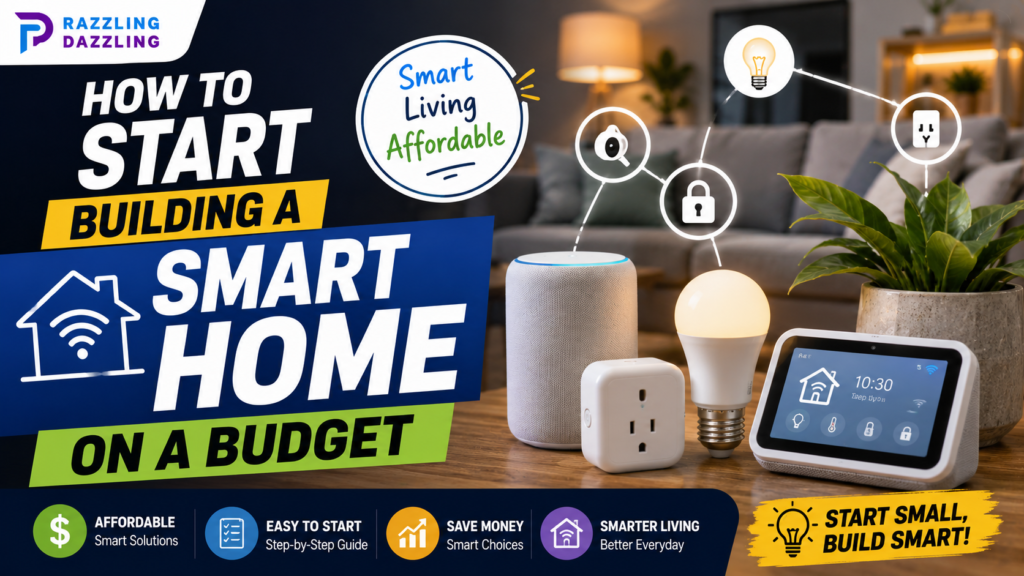
Building a smart home may sound expensive, complicated, and overwhelming, but it doesn’t have to be. You don’t need to replace every appliance or install an advanced home automation system to enjoy the benefits of smart technology. With a few affordable devices and a little planning, you can gradually turn an ordinary home into a more convenient and connected space.
The smartest approach is to start small. Instead of buying every gadget you see, think about the everyday tasks you would like to make easier. Maybe you want your lights to turn on automatically, control a fan from your phone, schedule a lamp, or receive an alert when a door opens. Once you identify those needs, you can choose affordable devices that provide genuine value.
At Razzling Dazzling, we focus on practical technology, home, and lifestyle solutions that make everyday decisions easier. In this guide, we’ll explain how to build a smart home on a budget, which devices are worth considering first, and how to avoid spending money on features you don’t really need.
What Is a Smart Home?
A smart home is a home where connected devices can be controlled, scheduled, monitored, or automated using a smartphone, voice assistant, hub, or compatible system.
Smart devices can include:
- Smart bulbs
- Smart plugs
- Smart speakers
- Motion sensors
- Door and window sensors
- Smart cameras
- Video doorbells
- Smart thermostats
- Smart locks
- Smart appliances
You don’t need all of these products. A smart home can start with a single smart bulb or plug and grow over time.
The goal isn’t to have the most devices. The goal is to use technology where it provides meaningful convenience.
Start by Identifying Everyday Problems
Before buying anything, walk around your home and think about small tasks that you regularly repeat.
Do you often forget to turn off lights? A smart bulb could help.
Would you like a lamp to turn on automatically in the evening? A smart plug or smart bulb could handle that.
Do you want to know when someone opens a particular door? A contact sensor may be useful.
Would you like to control several devices without opening different apps? A compatible smart-home platform could make that easier.
This approach helps prevent impulse purchases. Instead of asking, “What smart gadget should I buy?” ask, “What problem do I want this gadget to solve?”
Set a Realistic Smart Home Budget
You don’t need a large budget to begin.
Start with one or two inexpensive devices and learn how they work before expanding. This gives you the opportunity to understand compatibility, apps, automation, and connectivity without committing a lot of money.
A small starter setup could include a smart bulb and a smart plug. After using them for a while, you may decide that voice control, motion sensors, or security devices would provide additional value.
Spreading purchases over time can also make the process easier on your budget.
Start With Smart Lighting
Smart bulbs are among the easiest smart-home products for beginners.
Depending on the model, you can control brightness, set schedules, create routines, and operate the bulb through a smartphone app or compatible voice assistant.
You don’t need to replace every light in your home. Start with a room where smart lighting would be genuinely useful.
A bedroom light could be scheduled to turn on or off at specific times. A living-room light could be controlled remotely. An entryway light could be included in an evening routine.
Choose the simplest setup that solves your problem.
Add Smart Plugs
Smart plugs are another excellent budget-friendly starting point.
A smart plug can provide remote control and scheduling for compatible electrical devices. This means you may be able to add smart functionality without replacing the appliance itself.
For example, a suitable lamp connected to a smart plug can be scheduled to turn on at a particular time.
However, always check the smart plug’s electrical rating and the requirements of the appliance you intend to connect. Some appliances are not appropriate for automated power control.
Choose a Smart Home Platform
As you add more devices, compatibility becomes increasingly important.
Different products may use different apps, communication technologies, and smart-home platforms. If you buy devices without checking compatibility, you could eventually end up managing several unrelated systems.
Before expanding your setup, choose a platform that works with the devices you already have and the products you may want in the future.
You don’t necessarily need to buy everything from the same manufacturer. What’s important is that your chosen devices can work together in the way you expect.
Consider Matter-Compatible Devices
Matter is a smart-home interoperability standard designed to make compatible smart-home products work across supported platforms more easily.
For beginners, Matter-compatible products can provide additional flexibility when building a smart home over time.
However, compatibility still matters. A Matter label doesn’t mean every device supports every feature on every platform. Always check the manufacturer’s compatibility information before buying.
If you’re starting from scratch, choosing products with broad compatibility can help reduce problems when you expand your system later.
Use Your Existing Wi-Fi
You generally don’t need an expensive networking system just to begin building a smart home.
If your current Wi-Fi works reliably throughout your home, you can start by connecting a few smart devices to it.
As you add more devices, however, network coverage can become more important. If a smart bulb or sensor frequently disconnects, the problem may be poor signal strength rather than the device itself.
Try improving router placement before spending money on additional networking equipment. A router placed in a central, relatively open location can often provide better coverage than one hidden behind furniture or inside a cabinet.
Don’t Buy a Smart Hub Immediately
A smart hub can be useful, particularly for advanced automation and larger smart-home setups. However, beginners don’t necessarily need one from the beginning.
Many modern smart devices can connect directly through Wi-Fi or communicate through supported smart-home platforms.
Start without a dedicated hub if your initial devices don’t require one. If you eventually want more sophisticated automation or a larger number of connected devices, you can reconsider.
This is another way to keep your initial smart-home budget under control.
Create Simple Smart Home Routines
Automation is one of the biggest advantages of smart-home technology.
Instead of manually controlling every device, you can create routines based on schedules or supported triggers.
Morning Routine
A morning routine could turn on selected lights at a scheduled time. You could gradually add other compatible devices as your system develops.
Evening Routine
An evening routine could automatically turn on selected lights around sunset or at a time when your household usually needs them.
Leaving Home Routine
A leaving-home routine could turn off selected lights and compatible devices so you don’t have to check every room manually.
Bedtime Routine
A bedtime routine could turn off selected lights and other compatible devices at a scheduled time.
Start with one simple automation. Once you understand how it works, you can gradually create more.
Add Motion Sensors Later
Motion sensors can make a smart home feel much more responsive.
For example, a motion sensor in a hallway could trigger compatible lighting when movement is detected. This can be useful when entering a dark area without wanting to reach for a switch.
You don’t need sensors in every room. One strategically placed sensor can be enough to test whether motion-based automation is useful for your household.
Consider Smart Security Carefully
Smart cameras, doorbells, door sensors, and other security products can add useful monitoring features, but they should not be your first impulse purchase unless security is your primary concern.
Before buying a smart security device, consider whether it requires a subscription, where recordings are stored, what notifications it provides, and how the device handles your information.
Also check whether the manufacturer continues to provide software and security updates.
A lower-priced camera isn’t necessarily a bargain if important features require an ongoing subscription.
Don’t Replace Working Appliances Just to Make Them Smart
One of the easiest ways to overspend is replacing perfectly functional appliances simply because newer smart versions are available.
If an existing lamp, fan, or other compatible appliance works well, you may not need to replace it.
In some situations, a suitable smart plug can add basic control and scheduling without requiring a new appliance.
This approach saves money and can also reduce unnecessary electronic waste.
Buy Based on Compatibility, Not Just Price
The cheapest smart gadget isn’t always the best value.
Before purchasing, check:
- Which smart-home platforms it supports
- Whether it requires a hub
- Whether it requires a subscription
- Which Wi-Fi band it uses
- Whether your phone supports the required app
- Whether the manufacturer provides software updates
- Whether the product has a suitable warranty
- Whether it works with your existing devices
A slightly more expensive product with reliable support and broader compatibility can save you money and frustration later.
Think About Smart Home Privacy
Smart-home devices can collect or process information about your household activities.
Cameras and smart speakers deserve particular attention because they can involve audio, video, or other sensitive household data.
Before purchasing a connected device, review the manufacturer’s privacy information and understand what information the product collects.
You should also use strong passwords and enable two-factor authentication when available.
Keeping your router, smart-home apps, and devices updated can provide another layer of protection.
Avoid Building Too Many Devices at Once
It’s easy to get excited about smart-home technology and purchase several devices at the same time.
However, installing too many products at once can make your system difficult to manage.
You might end up with:
- Multiple apps
- Different accounts
- Compatibility problems
- Complicated automations
- More devices requiring updates
- Higher overall costs
Instead, build your smart home in stages.
Start with lighting. Add a plug. Try an automation. Then decide what would genuinely improve your home next.
How to Build a Smart Home Step by Step
- Step 1: Choose One Problem: Identify one repetitive task you want to simplify.
- Step 2: Buy One Affordable Device: Choose a reliable product that directly addresses that problem.
- Step 3: Learn the App: Spend some time understanding schedules, controls, and available automation features.
- Step 4: Check Compatibility: Before buying your second or third device, make sure it works with your existing setup.
- Step 5: Create One Automation: Use a simple schedule or supported trigger.
- Step 6: Expand Gradually:Add another device only when you have a genuine reason to do so. This gradual approach helps keep your smart-home project affordable and manageable.
How to Save Money on Smart Home Devices
Shop During Sales
Smart-home products often receive discounts during seasonal promotions and major shopping events. If a device isn’t urgent, waiting for a sale can reduce your total cost.
Compare Features
Don’t pay extra for features you won’t use.
If you only need a light to turn on and off remotely, you may not need a premium color-changing bulb with advanced effects.
Avoid Unnecessary Subscriptions
Pay attention to recurring fees. A device that looks inexpensive initially can become costly if important features require a monthly subscription.
- Start Small: Buying one useful device is better than purchasing ten gadgets that don’t solve any real problem.
- Consider Existing Equipment: Look for ways to add smart functionality to devices you already own before replacing them.
Common Smart Home Mistakes to Avoid
- Buying Without Checking Compatibility: Always check whether the product works with your chosen platform.
- Choosing the Cheapest Product Automatically: Price matters, but reliability, updates, privacy, and support matter too.
- Ignoring Wi-Fi Coverage: A smart device cannot perform well if it has an unreliable connection.
- Installing Too Many Devices: A smaller, well-organized system is often easier to use than a complicated collection of gadgets.
- Forgetting About Privacy: Understand how connected devices handle your data before bringing them into your home.
- Automating Everything: Automation should make life easier, not create new problems. Start with routines that are simple and predictable.
What Should You Buy First?
For many beginners, a smart bulb is an excellent first purchase because it is simple to install and immediately demonstrates the convenience of smart control.
A smart plug is another strong option because it can add basic scheduling and remote control to compatible existing devices.
If your primary concern is home security, however, starting with an appropriate security device may make more sense.
There is no universal first smart-home product. The right starting point depends on what you want your home to do.
Is Building a Smart Home Worth It?
For many households, smart-home technology can be worthwhile when it solves genuine everyday problems.
Automating repetitive tasks can save time and provide convenience. Smart lighting can make routines easier, while sensors and security products can provide useful notifications.
But smart-home technology isn’t automatically valuable simply because it is connected.
A good smart home should feel easier to use than a traditional home. If an automation requires complicated troubleshooting every day, it may not be worth having.
Focus on useful simplicity rather than the number of devices you own.
Building a smart home on a budget is completely possible when you take a gradual and practical approach.
Start by identifying a real problem, choose an affordable device that solves it, and learn how the technology works. Smart bulbs and plugs are often excellent starting points, while sensors, speakers, security products, and advanced automation can be added later.
Compatibility should remain a priority throughout the process. Check your existing Wi-Fi, preferred smart-home platform, device requirements, subscription costs, and privacy considerations before purchasing.
Most importantly, don’t feel pressured to make your entire home smart at once. A few carefully selected devices can provide much more value than a house full of gadgets you rarely use.
At Razzling Dazzling, we believe technology should make everyday life simpler, smarter, and more convenient. Our practical guides, product reviews, and buying advice are designed to help you understand your options and make informed decisions.
Frequently Asked Questions
1. How much does it cost to start a smart home?
You can start with a small investment by purchasing one or two affordable devices, such as a smart bulb or smart plug. Your total cost depends on the products and features you choose.
2. What is the best first smart home device?
A smart bulb or smart plug is often a good starting point because both are relatively easy to set up and can provide immediate convenience.
3. Do I need a smart home hub?
Not necessarily. Many modern smart devices can work through Wi-Fi or compatible smart-home platforms without requiring a dedicated hub. A hub may become useful as your system becomes more advanced.
4. What is Matter in smart-home technology?
Matter is a smart-home interoperability standard intended to make compatible devices work across supported smart-home platforms more easily. You should still check the manufacturer’s compatibility information before purchasing.
5. Can I make normal appliances smart?
Some compatible appliances can be controlled through a properly rated smart plug. Always check the electrical requirements and safety instructions before connecting any appliance to a smart plug.
6. Is it expensive to build a smart home?
It can be expensive if you purchase many premium devices at once, but a smart home can also be built gradually with affordable products. Starting small helps you control your spending.
7. Are smart-home devices secure?
Security depends on the device, manufacturer, network, and how you configure your accounts. Use strong passwords, enable two-factor authentication where available, and keep software and firmware updated.
8. Should all smart-home devices be from the same brand?
They don’t necessarily need to be from the same brand. However, choosing products that work with the same smart-home platform can make your system easier to manage.
9. Can smart-home devices work without Wi-Fi?
Some smart-home technologies can operate using other communication methods, while many popular budget devices rely on Wi-Fi. Always check the connectivity requirements before purchasing.
10. How can I build a smart home without overspending?
Start with one genuine need, purchase a compatible device, avoid unnecessary subscriptions, compare features, and expand your system gradually rather than buying many gadgets at once.
Ready to Start Your Smart Home?
Start small and choose a device that solves a problem you already have. Whether it’s a smart bulb for easier lighting, a smart plug for scheduling, or a sensor for useful notifications, your smart-home journey can grow naturally over time.
Keep exploring Razzling Dazzling for more smart-home ideas, technology guides, product insights, and practical solutions designed to help you shop smarter and live better.