
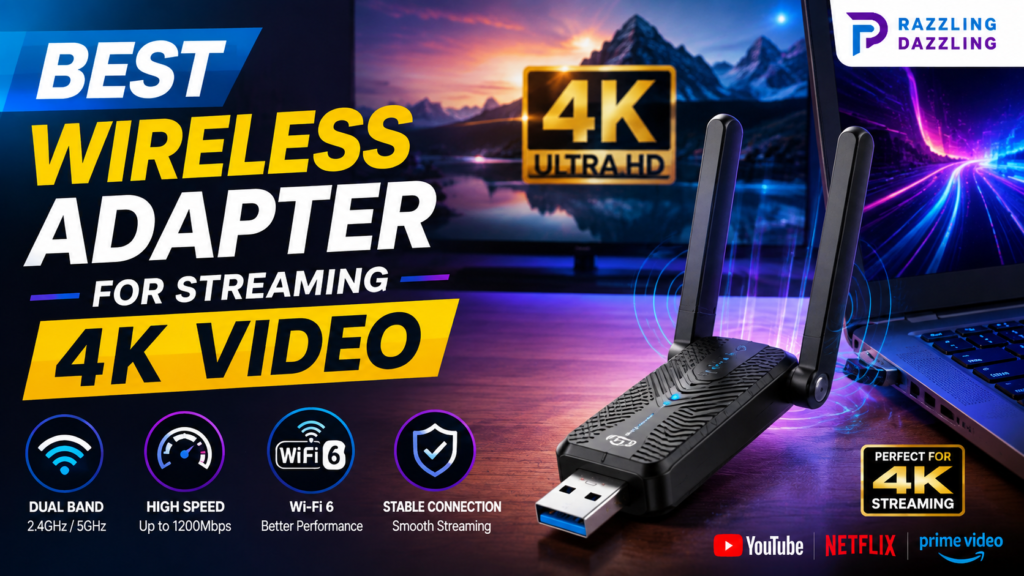
Streaming 4K video demands a stable wireless connection. While your internet plan and streaming service are important, the wireless adapter inside your computer can also affect how reliably high-resolution content plays. An outdated or poorly positioned adapter may struggle with distance, interference, or network congestion, resulting in buffering, quality drops, or inconsistent playback.
The good news is that upgrading a desktop or compatible laptop with a modern wireless adapter can be a relatively simple way to improve connectivity. In 2026, Wi-Fi 6 and Wi-Fi 6E adapters are practical choices for many users, while Wi-Fi 7 models offer newer networking features for compatible routers and computers. Current adapter guides generally identify Wi-Fi 6 as a strong balance between performance, price, and compatibility.
At Razzling Dazzling, our goal is to make technology decisions easier. This guide explains what to look for in a wireless adapter for 4K streaming and how to choose a model that fits your setup.
What Is a Wireless Adapter?
A wireless adapter allows a computer or another compatible device to connect to a Wi-Fi network. Many laptops already have built-in wireless hardware, but desktop computers may require an internal Wi-Fi card or an external USB adapter.
USB wireless adapters are particularly convenient because they can be connected to a compatible USB port without opening the computer case. Some models are tiny enough to remain connected permanently, while others use external antennas or a desktop cradle to improve reception.
For 4K streaming, the goal isn’t simply to find the adapter advertising the highest theoretical speed. A reliable connection, compatible Wi-Fi standard, good signal strength, and appropriate USB interface can be more important in everyday use.
Why 4K Streaming Needs a Good Wireless Connection
4K video contains substantially more data than standard-definition or many 1080p streams. The exact bandwidth required varies by streaming service, compression technology, video quality, and content.
A wireless connection therefore needs enough capacity to handle the stream while leaving room for other network activity.
For example, someone watching 4K video while other household devices are downloading files, playing online games, or making video calls may need more wireless capacity than someone using the network only for streaming.
A good adapter helps your computer communicate efficiently with the router, but it cannot compensate for every networking problem. Your internet connection, router, distance, walls, interference, and network congestion all matter.
Key Features to Look For
1. Wi-Fi 6 Support
For many users, Wi-Fi 6 is an excellent starting point. Wi-Fi 6, also known as 802.11ax, introduced improvements designed to make wireless networks more efficient, particularly when multiple devices are connected.
Current USB adapter guides describe Wi-Fi 6 as a practical sweet spot for many home users in 2026.
If you have a Wi-Fi 6 router, pairing it with a Wi-Fi 6 adapter can help you take better advantage of the network.
2. Dual-Band Connectivity
A dual-band adapter supports both 2.4GHz and 5GHz Wi-Fi.
The 2.4GHz band generally offers greater range, while 5GHz can provide higher performance under suitable conditions. For high-quality streaming, 5GHz is often preferable when your computer is reasonably close to the router.
Dual-band support also gives your network more flexibility when choosing the most appropriate connection.
3. Wi-Fi 6E for Compatible Systems
Wi-Fi 6E extends Wi-Fi 6 into the 6GHz band. This additional band can provide access to less congested wireless spectrum when supported by both the router and client device.
For example, the TP-Link Archer TXE70UH is a Wi-Fi 6E USB adapter with 2.4GHz, 5GHz, and 6GHz support, along with high-gain antennas and USB 3.0 connectivity. TP-Link lists Windows 10 and Windows 11 compatibility for the model.
However, Wi-Fi 6E only makes sense if your router and computer support the relevant features.
4. Wi-Fi 7 Compatibility
Wi-Fi 7 is the newer generation of wireless networking and can provide advanced features such as Multi-Link Operation on compatible equipment.
USB Wi-Fi 7 adapters are now available, including models such as TP-Link’s Archer TBE400U. However, the company notes that Wi-Fi 7 features require compatible access points and operating-system support, and that actual throughput varies according to network conditions and hardware.
For someone buying specifically for 4K streaming, Wi-Fi 7 isn’t automatically necessary. A good Wi-Fi 6 adapter may already provide more than enough capability for a typical home streaming setup.
5. USB 3.0 Support
If you’re choosing a USB wireless adapter for high-speed networking, USB 3.0 is an important feature to consider.
Modern high-speed adapters can transfer substantially more data through USB 3.0 than USB 2.0. Some adapters also include a USB extension cable or cradle so you can position the wireless hardware away from the back of a desktop computer.
For example, TP-Link’s TXE70UH uses USB 3.0 and includes a desktop cradle and extension cable.
6. External Antennas
A small nano adapter can be convenient, but external antennas can be advantageous when your computer is located far from the router or behind furniture.
Desktop-oriented adapters with external antennas can often be positioned more effectively than a tiny adapter plugged directly into a rear USB port.
If your main problem is weak reception rather than insufficient internet speed, antenna design may be particularly important.
7. Reliable Driver Support
Driver support is easy to overlook when shopping for a wireless adapter.
A device may have impressive specifications, but poor driver availability can make installation and troubleshooting frustrating. Current USB adapter guides recommend choosing established brands with maintained driver support rather than unknown products with uncertain hardware and software support.
Before purchasing, verify that the adapter supports your operating system and that current drivers are available from the manufacturer.
Best Types of Wireless Adapters for 4K Streaming
Wi-Fi 6 USB Adapter – Best for Most Users
For many households, a dual-band Wi-Fi 6 USB adapter is the most sensible option.
It offers modern wireless technology without requiring you to pay for the newest standard. Models such as the TP-Link Archer TX20U Plus are frequently highlighted as value-oriented Wi-Fi 6 USB adapters, while other guides recommend similar products from ASUS and NETGEAR.
Best for: Everyday 4K streaming, desktops, older PCs, and users with Wi-Fi 6 routers.
Wi-Fi 6E USB Adapter – Best for Less Congested Networks
A Wi-Fi 6E adapter can be useful if you already have a compatible 6GHz router and want access to the additional band.
The main benefit isn’t simply a bigger number on the box. The 6GHz band can provide a cleaner connection in suitable environments, although range and compatibility need to be considered.
Best for: Modern PCs with compatible Wi-Fi 6E routers.
Wi-Fi 7 USB Adapter – Best for Future-Proofing
Wi-Fi 7 adapters are attractive if you’re building a newer high-performance network and already have compatible hardware.
However, buying a Wi-Fi 7 adapter for a basic 4K streaming setup may provide little practical benefit if your router only supports Wi-Fi 5 or Wi-Fi 6.
Best for: New Wi-Fi 7 networks, advanced users, and future-oriented upgrades.
High-Gain USB Adapter – Best for Longer Distances
If your computer is several rooms away from the router, an adapter with larger external antennas may be more useful than a compact nano model.
Signal strength can have a major effect on real-world performance. A high-gain design may help maintain a more stable connection where a tiny adapter struggles.
Best for: Desktops far from the router or environments with obstacles between the computer and access point.
Router Compatibility Matters
A wireless adapter doesn’t operate in isolation.
Suppose you purchase a Wi-Fi 7 USB adapter but your router only supports an older Wi-Fi standard. The adapter cannot magically turn the entire network into Wi-Fi 7.
Likewise, 6GHz functionality requires compatible hardware on the network.
Before buying, check:
- Your router’s Wi-Fi standard
- Your computer’s operating system
- Available USB ports
- USB version
- Supported frequency bands
- Driver availability
- Physical placement of your computer
- Your internet plan
Matching the adapter to the rest of your network is usually more sensible than simply choosing the newest standard.
Internet Speed vs. Wireless Speed
It’s important to understand the difference between your internet speed and your adapter’s advertised wireless speed.
A wireless adapter might advertise a theoretical connection rate of hundreds or thousands of Mbps, but that does not mean your internet service will deliver that speed.
Actual wireless throughput depends on factors such as router capability, distance, interference, channel conditions, device hardware, and network traffic. TP-Link specifically notes that advertised wireless signal rates are theoretical and that actual throughput and coverage vary with network conditions and other environmental factors.
For 4K streaming, stable performance is often more important than chasing the largest theoretical number.
How to Improve 4K Streaming Performance
Buying a better adapter is only one part of the solution.
Keep the Router in a Good Location: Place the router in a relatively open and central location rather than hiding it behind furniture or inside a cabinet.
Use 5GHz When Appropriate: If your computer is reasonably close to the router, a 5GHz connection may offer better performance than 2.4GHz.
Reduce Wireless Interference: Other wireless devices, thick walls, neighboring networks, and physical obstructions can affect Wi-Fi performance.
Position External Antennas Carefully: If your adapter includes external antennas or a cradle, experiment with its position rather than leaving it directly behind a metal desktop case.
Keep Drivers Updated: Manufacturer driver updates can improve compatibility, stability, and performance.
Consider Ethernet: If wireless performance remains inconsistent and your computer is close enough to the router, a wired Ethernet connection can provide a more predictable connection.
Common Mistakes When Buying a Wireless Adapter
Choosing Based Only on Mbps: The largest advertised number doesn’t guarantee the best real-world experience.
Ignoring the Router: A powerful adapter cannot fully take advantage of features your router doesn’t support.
Buying an Unknown Brand: Very inexpensive adapters can be tempting, but driver availability and long-term support are important considerations.
Using an Older USB Port: High-speed adapters should ideally be connected to an appropriate high-speed USB port.
Ignoring Your Computer’s Location: A high-performance adapter may still struggle if the computer is in a poor signal area.
Is a Wi-Fi Adapter Enough for 4K Streaming?
In many situations, yes. A modern dual-band Wi-Fi 6 adapter paired with a capable router can be more than sufficient for everyday 4K streaming.
However, buffering doesn’t always mean the adapter is the problem.
Before replacing it, test your internet connection, check signal strength, compare performance close to the router, and see whether other devices are consuming bandwidth.
If streaming works perfectly when the computer is near the router but becomes unreliable farther away, improving Wi-Fi coverage or using an adapter with better antenna performance may help.
The best wireless adapter for streaming 4K video is not necessarily the fastest or most expensive model. For most users, a reliable dual-band Wi-Fi 6 adapter with USB 3.0 is a sensible starting point. Wi-Fi 6E is worth considering if you have compatible 6GHz equipment, while Wi-Fi 7 makes the most sense for newer high-performance networks.
External antennas can be particularly useful for desktops located far from the router, while compact nano adapters are convenient when portability and simplicity matter.
At Razzling Dazzling, we focus on practical technology advice that helps you understand what you’re actually buying. By considering Wi-Fi compatibility, USB support, antenna design, driver availability, and your home network, you can choose a wireless adapter that delivers a more dependable experience for 4K streaming and everyday online activities.
Frequently Asked Questions
1. What is the best Wi-Fi adapter for 4K streaming?
For most users, a dual-band Wi-Fi 6 USB adapter is a strong choice. It offers modern wireless performance and broad usefulness without requiring the expense of the newest Wi-Fi 7 hardware.
2. Do I need Wi-Fi 6 for 4K streaming?
Not necessarily. Older Wi-Fi standards can support streaming under suitable conditions, but Wi-Fi 6 can provide better efficiency and performance on modern networks, especially when multiple devices are connected.
3. Is Wi-Fi 6E better than Wi-Fi 6 for streaming?
Wi-Fi 6E can be beneficial when you have a compatible 6GHz router and computer. Its main advantage is access to the 6GHz band, but it isn’t necessary for every 4K streaming setup.
4. Is Wi-Fi 7 necessary for 4K video?
No. Wi-Fi 7 is a newer and more advanced standard, but most users don’t need it solely for 4K streaming. A good Wi-Fi 6 setup can already provide strong performance for many households.
5. Should I choose a USB wireless adapter with external antennas?
External antennas can be helpful when your computer is far from the router or separated by walls and other obstacles. They can also give desktop users more flexibility when positioning the adapter.
6. Does USB 3.0 matter for a Wi-Fi adapter?
Yes. High-speed wireless adapters are generally better paired with USB 3.0 or another suitable high-speed USB connection so the USB interface doesn’t unnecessarily limit performance.
7. Why does my 4K stream buffer even though my Wi-Fi adapter is fast?
Buffering can be caused by slow internet service, weak Wi-Fi signal, network congestion, interference, router limitations, or problems with the streaming service. A fast adapter alone cannot solve every networking issue.
8. Should I buy a Wi-Fi adapter or use Ethernet?
Ethernet generally provides a more consistent wired connection when available. A wireless adapter is more convenient when running an Ethernet cable isn’t practical.
Ready to Upgrade Your Wireless Streaming Setup?
Don’t choose a wireless adapter based on specifications alone. Check your router, computer, USB ports, operating system, and typical streaming location first. Then choose a reputable adapter that provides the right combination of speed, compatibility, range, and reliability.
Explore Razzling Dazzling for more practical technology guides, product comparisons, home gadget advice, and buying tips designed to help you make smarter technology decisions.