
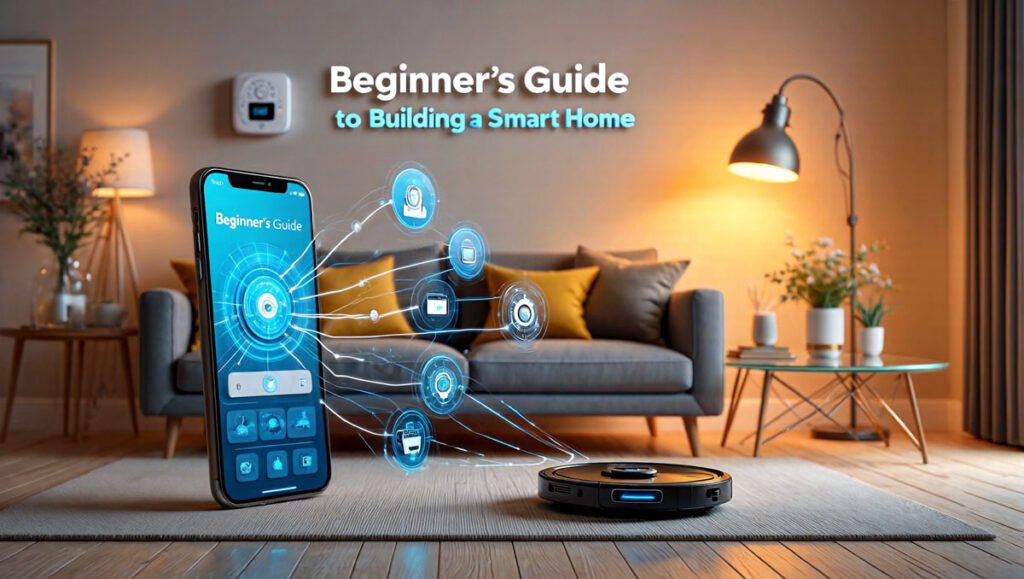
Smart homes are no longer just for tech experts. Today, anyone can build a smart home with simple devices and easy apps.
If you are wondering how to build a smart home for beginners, this guide will help you start the easy way. You do not need a huge budget or advanced tech skills.
You can begin with just one device and slowly add more over time.
In this beginner-friendly guide, you will learn about:
- Smart lights
- Smart speakers
- Security cameras
- Smart plugs
- Automation routines
You will also learn how these devices work together to make life easier, safer, and more comfortable.
What Is a Smart Home?
A smart home uses internet-connected devices that you can control with:
- Your phone
- Your voice
- Automatic schedules
These devices help make daily tasks easier.
For example:
- Lights can turn on automatically
- Speakers can play music with voice commands
- Cameras can send alerts to your phone
- Plugs can switch devices on and off remotely
The best part is that beginners can start small and upgrade later.
Why Build a Smart Home?
A smart home can help you:
- Save time
- Improve security
- Reduce energy use
- Make everyday tasks easier
- Control devices from anywhere
Many people think smart homes are expensive. But you can start with low-cost devices and build slowly.
How to Build a Smart Home for Beginners
The easiest way to begin is by choosing one smart device category at a time.
Let’s look at the best beginner-friendly smart home products.
Start With Smart Lights
Smart lights are usually the easiest smart home device for beginners.
You can control them using:
- A mobile app
- Voice commands
- Timers and schedules
Why Smart Lights Are Useful
Smart lights help make your home more comfortable and energy efficient.
You can:
- Turn lights on before you arrive home
- Dim lights at night
- Change colors for mood lighting
- Save electricity with schedules
Some smart bulbs can even turn off automatically when you leave the room.
How Smart Lights Connect
Most smart lights connect through:
- Wi-Fi
- Bluetooth
- A smart home hub
Many beginners choose Wi-Fi smart bulbs because they are simple to install.
You just:
- Screw in the bulb
- Download the app
- Connect it to Wi-Fi
That’s it.
Budget Tip for Beginners
Start with one or two bulbs in the living room or bedroom.
You do not need to replace every light in the house right away.
Add a Smart Speaker
A smart speaker acts like the control center of your smart home.
Popular smart speakers can:
- Answer questions
- Play music
- Set timers
- Control smart devices
Why Smart Speakers Are Useful
Smart speakers make your home easier to control.
Instead of opening apps, you can simply say:
- “Turn off the lights”
- “Play relaxing music”
- “Set a morning alarm”
This makes daily routines faster and more convenient.
How Smart Speakers Connect Devices
Smart speakers connect with:
- Smart lights
- Smart plugs
- Security cameras
- TVs and other smart devices
They help different gadgets work together in one system.
Choosing the Right Smart Speaker
Beginners should pick one platform and stay with it.
Common choices include:
- Google Home
- Amazon Alexa
- Apple HomeKit
Choosing one system makes setup easier.
Budget Tip
Buy an entry-level smart speaker first.
You do not need expensive models with extra features when starting out.
Improve Safety With Security Cameras
Security cameras are one of the most useful smart home upgrades.
They help you monitor your home from anywhere.
Why Security Cameras Are Useful
Smart security cameras can:
- Send motion alerts
- Record video
- Let you check your home remotely
- Improve home security
Some cameras also include:
- Night vision
- Two-way audio
- Cloud storage
Indoor vs Outdoor Cameras
Indoor cameras help monitor:
- Pets
- Kids
- Inside rooms
Outdoor cameras help protect:
- Front doors
- Driveways
- Backyards
How Security Cameras Connect
Most beginner-friendly cameras connect through Wi-Fi.
You can watch live video from your phone using an app.
Some systems also work with smart speakers and displays.
For example:
You can ask your smart speaker to show the front door camera.
Budget Tip
Start with one camera at the main entrance.
You can always add more later.
Use Smart Plugs for Easy Automation
Smart plugs are one of the cheapest ways to build a smart home.
They turn normal devices into smart devices.
Why Smart Plugs Are Useful
Smart plugs can control:
- Lamps
- Coffee makers
- Fans
- Chargers
- Holiday lights
You can turn devices on or off using your phone or voice.
Easy Examples
A smart plug can:
- Turn on your coffee maker in the morning
- Switch off lights automatically at bedtime
- Turn off devices to save electricity
How Smart Plugs Connect
Most smart plugs connect directly to Wi-Fi.
You plug them into the wall and then plug your device into them.
Setup usually takes only a few minutes.
Budget Tip
Smart plugs are perfect for beginners because they are low-cost and simple to use.
Start with one or two to test automation ideas.
Setting Up Automation Routines
Automation routines are what make a smart home truly smart.
A routine tells devices what to do automatically.
What Is an Automation Routine?
An automation routine is a set of actions that happen together.
For example:
- Lights turn on at sunset
- Coffee maker starts at 7 AM
- Security camera activates at bedtime
This saves time and reduces daily tasks.
Beginner-Friendly Automation Ideas
Here are some simple routines beginners can try:
Morning Routine
- Bedroom lights turn on slowly
- Coffee maker starts automatically
- Smart speaker reads weather updates
Night Routine
- Lights dim at bedtime
- Doors lock automatically
- Security cameras activate
Away From Home Routine
- Lights turn off
- Cameras turn on
- Smart plugs shut down unused devices
These routines help save energy and improve convenience.
How Devices Work Together
Smart homes work best when devices connect inside the same ecosystem.
For example:
- Smart speaker controls lights
- Cameras send alerts to your phone
- Smart plugs follow schedules
When devices work together, your home feels more automatic and organized.
Tips for Building a Smart Home on a Budget
Many beginners worry about cost. The good news is that you do not need to buy everything at once.
Here are simple ways to save money.
Start Small
Begin with:
- One smart speaker
- One smart bulb
- One smart plug
Learn how they work before buying more.
Avoid Buying Too Many Gadgets
It is easy to get excited and overspend.
Focus on devices you will actually use every day.
Choose Compatible Devices
Check if devices work together before buying.
This helps avoid setup problems later.
Use Wi-Fi Devices First
Wi-Fi devices are usually easiest for beginners because they do not require extra hubs.
Upgrade Slowly
You can slowly add:
- More lights
- More cameras
- Better automation routines
A smart home does not need to be finished in one day.
Common Smart Home Mistakes Beginners Make
Avoid these common mistakes:
Buying Too Much Too Fast
Start simple.
Mixing Too Many Platforms
Try to stay with one ecosystem.
Ignoring Security
Use strong passwords and update devices regularly.
Choosing Cheap Low-Quality Gadgets
Very cheap devices may stop working quickly.
Final Thoughts
Learning how to build a smart home for beginners is easier than ever.
You do not need expensive equipment or expert knowledge.
Start with simple devices like:
- Smart lights
- Smart speakers
- Security cameras
- Smart plugs
Then slowly create automation routines that make life easier.
The best smart home is one that saves time, improves comfort, and fits your budget.