
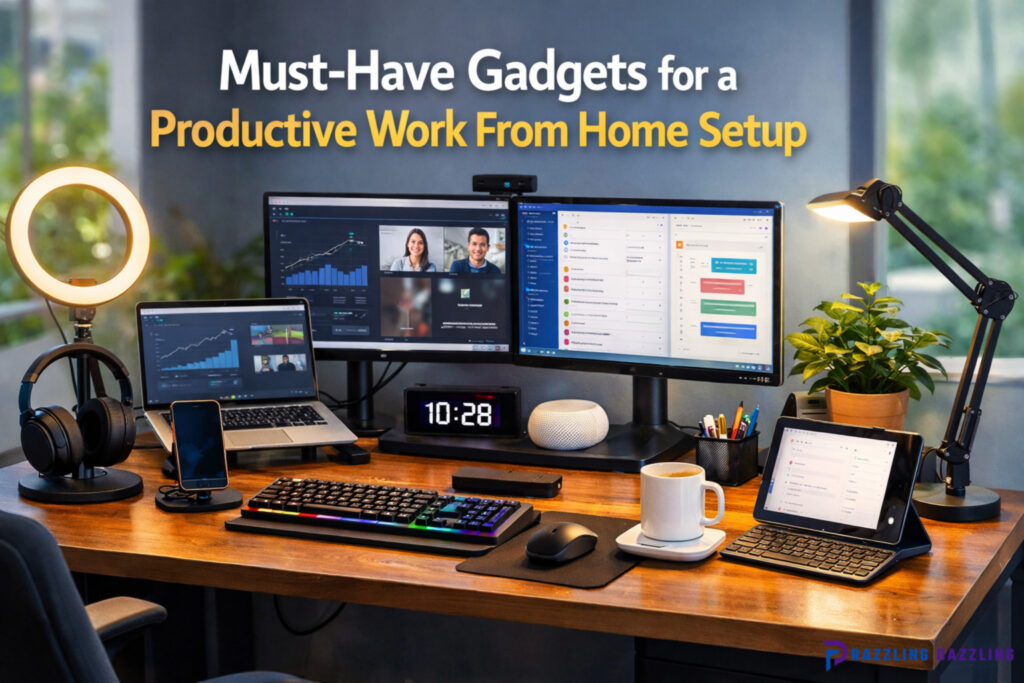
Working from home has become a permanent reality for many professionals worldwide. While it offers flexibility and convenience, creating a productive workspace at home requires more than just a laptop and a desk. The right gadgets can enhance efficiency, comfort, and focus, transforming your home office into a highly functional environment.
In this Razzling Dazzling guide, we explore the must-have gadgets that every home worker should consider to maximize productivity, streamline workflow, and maintain a healthy work-life balance.
Why Investing in Work From Home Gadgets Matters
A well-equipped home office can significantly impact performance and mental well-being. Here are the main benefits of investing in the right gadgets:
- Enhanced Productivity
High-quality devices reduce technical hiccups, speed up tasks, and allow multitasking with ease. - Improved Comfort and Ergonomics
Ergonomic gadgets prevent strain and fatigue, making long work hours more comfortable. - Better Communication
Reliable webcams, microphones, and headsets ensure smooth virtual meetings. - Organization and Efficiency
Smart devices and accessories help organize digital and physical workspace, minimizing distractions. - Professionalism
High-quality tools project a professional image during virtual meetings and client calls.
Top Must-Have Gadgets for a Work From Home Setup
High-Performance Laptop or Desktop
The foundation of any home office is a reliable computing device.
- Laptop vs. Desktop: Laptops offer portability while desktops generally provide higher performance for the price.
- Specifications to Consider:
- Processor: Intel i5/i7 or AMD Ryzen 5/7
- RAM: Minimum 16GB for smooth multitasking
- Storage: SSDs for faster boot-up and application loading
- Display: At least Full HD (1920×1080), larger screens improve multitasking
- Processor: Intel i5/i7 or AMD Ryzen 5/7
- Tips: Choose a device compatible with external monitors and peripherals for enhanced productivity.
Pro Tip: A high-refresh-rate screen or anti-glare display reduces eye strain during long work hours.
External Monitors
Dual or ultra-wide monitors dramatically improve workflow, allowing you to view multiple applications simultaneously.
- Benefits:
- Multitasking without constant window switching
- Enhanced clarity for detailed work like spreadsheets, graphics, or coding
- Reduced eye strain from compact screens
- Multitasking without constant window switching
- Recommended Features:
- At least 24-inch size with 1080p resolution
- Adjustable stand for ergonomic positioning
- Built-in USB hubs for peripheral connections
- At least 24-inch size with 1080p resolution
Pro Tip: Consider curved or ultra-wide monitors for immersive productivity and better workspace organization.
Ergonomic Keyboard and Mouse
Comfortable input devices are essential for avoiding strain and boosting efficiency.
- Ergonomic Keyboards:
- Split or angled designs reduce wrist strain
- Mechanical switches improve typing accuracy and speed
- Split or angled designs reduce wrist strain
- Ergonomic Mouse:
- Vertical or contoured designs reduce repetitive stress
- Wireless mice eliminate cable clutter
- Vertical or contoured designs reduce repetitive stress
Pro Tip: Pair a keyboard and mouse that complement each other to ensure a smooth workflow and prevent fatigue.
Noise-Cancelling Headphones
Focus is crucial when working from home, especially in noisy environments.
- Benefits:
- Reduces background noise for better concentration
- Improves audio quality during calls and video conferences
- Reduces ear fatigue during extended use
- Reduces background noise for better concentration
- Recommended Features:
- Active Noise Cancellation (ANC)
- Comfortable over-ear design
- Bluetooth connectivity for wireless use
- Active Noise Cancellation (ANC)
Pro Tip: Some models allow transparency modes to stay aware of your surroundings without removing the headphones.
Quality Webcam and Microphone
Virtual communication is central to remote work. A professional-quality webcam and microphone enhance clarity and reduce miscommunication.
- Webcam Tips:
- Resolution: Minimum 1080p
- Frame rate: 30–60 fps for smoother video
- Low-light performance for varied lighting conditions
- Resolution: Minimum 1080p
- Microphone Tips:
- Condenser or USB microphones provide clear audio
- Boom arms and pop filters improve sound quality
- Some webcams have built-in microphones, but separate devices offer better audio fidelity
- Condenser or USB microphones provide clear audio
Pro Tip: Position your webcam at eye level to create a natural, professional presence during meetings.
Adjustable Desk and Chair
Comfortable furniture is a key productivity factor, preventing fatigue and promoting proper posture.
- Desk Features:
- Adjustable height desks allow switching between sitting and standing
- Spacious surface for monitors, peripherals, and stationery
- Cable management options for a clutter-free workspace
- Adjustable height desks allow switching between sitting and standing
- Chair Features:
- Ergonomic design with lumbar support
- Adjustable height and armrests
- Breathable material to avoid discomfort during long hours
- Ergonomic design with lumbar support
Pro Tip: Combining a sit-stand desk with an ergonomic chair allows you to alternate positions, improving circulation and focus.
Smart Lighting
Lighting affects both mood and efficiency. Smart lighting solutions provide optimal illumination for your home office.
- Benefits:
- Adjustable brightness and color temperature reduce eye strain
- Voice or app control allows convenient adjustments
- Automations can sync lighting with work schedules
- Adjustable brightness and color temperature reduce eye strain
- Recommended Gadgets:
- Smart LED desk lamps with adjustable arms
- Overhead smart bulbs with dimming and scheduling
- Smart LED desk lamps with adjustable arms
Pro Tip: Use natural light whenever possible, and complement it with smart lighting for evening work sessions.
Surge Protectors and Cable Management
Protecting your devices from power fluctuations and keeping cables organized improves reliability and reduces clutter.
- Surge Protectors:
- Safeguard expensive electronics from voltage spikes
- Multi-outlet designs accommodate multiple gadgets
- Safeguard expensive electronics from voltage spikes
- Cable Management Solutions:
- Clips, sleeves, or under-desk trays prevent tangled cords
- Wireless charging reduces cable clutter
- Clips, sleeves, or under-desk trays prevent tangled cords
Pro Tip: Label cables for easier troubleshooting and maintain a clean, professional workspace.
Docking Stations and USB Hubs
Docking stations expand connectivity and simplify workstation setup.
- Benefits:
- Connect multiple monitors, keyboards, mice, and storage devices simultaneously
- Reduce constant plugging and unplugging of peripherals
- Enable fast charging for laptops and devices
- Connect multiple monitors, keyboards, mice, and storage devices simultaneously
Pro Tip: Look for USB-C or Thunderbolt hubs compatible with your primary computing device for faster data transfer and expanded functionality.
Productivity Gadgets and Accessories
Other gadgets can enhance efficiency, organization, and comfort in a home office:
- Smart Planners and Digital Notebooks: Track tasks, meetings, and notes digitally
- Wireless Chargers: Keep devices powered without cable clutter
- Desk Organizers: Maintain a clean workspace for better focus
- Temperature Control Devices: Smart fans or heaters maintain comfort in your working area
- White Noise Machines: Help minimize distractions in noisy environments
Pro Tip: Invest in gadgets that align with your workflow rather than unnecessary gadgets that create clutter.
Tips for Optimizing Your Work From Home Setup
- Create a Dedicated Workspace: A separate area minimizes distractions and improves focus.
- Keep Your Desk Organized: Reduce clutter for better mental clarity.
- Prioritize Ergonomics: Proper posture prevents fatigue and enhances long-term productivity.
- Leverage Smart Technology: Automate lighting, temperature, and notifications for efficiency.
- Maintain a Healthy Routine: Take regular breaks and ensure proper hydration to sustain performance.
Common Questions About Work From Home Gadgets
Which gadget improves productivity the most?
A high-quality monitor combined with an ergonomic keyboard and mouse significantly enhances multitasking and comfort.
Are noise-cancelling headphones worth it?
Yes, they help maintain focus, especially in shared or noisy environments.
Do I need all these gadgets at once?
Start with essential items like a laptop, monitor, and ergonomic chair, then gradually add devices based on needs.
Can smart lighting impact productivity?
Yes, adjustable lighting reduces eye strain and improves alertness during work sessions.
How do I choose the right webcam and microphone?
Opt for 1080p webcams and USB microphones with clear audio and good low-light performance for professional calls.
Final Thoughts on a Productive Work From Home Setup
A productive home office depends on the right combination of technology, comfort, and organization. By investing in essential gadgets such as high-performance computers, monitors, ergonomic accessories, smart lighting, and communication tools, you can create an efficient and enjoyable work environment.
At Razzling Dazzling, we recommend starting with the fundamentals, then gradually expanding your setup with smart and ergonomic devices to match your workflow. With the right tools, working from home can be productive, comfortable, and professionally rewarding.