
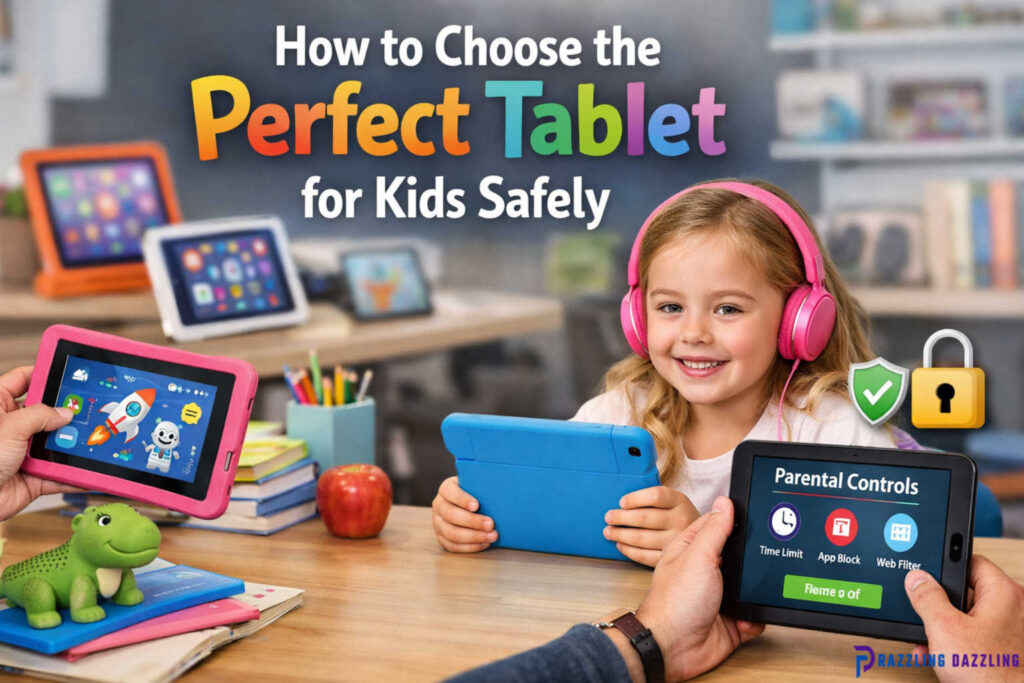
In today’s digital world, tablets are no longer just gadgets for adults—they have become essential tools for kids to learn, play, and explore safely. Choosing the right tablet for your child, however, requires careful consideration. A tablet can enhance learning and creativity when chosen wisely, but the wrong choice can expose your child to inappropriate content or unhealthy screen time. At Razzling Dazzling, we understand the importance of balancing fun, safety, and educational value when selecting a tablet for kids.
In this guide, we’ll walk you through everything you need to know to pick the perfect tablet for your child, including key features, safety tips, and recommendations.
Why a Tablet Can Be Beneficial for Kids
Tablets offer a wide range of opportunities for children when used responsibly. Here’s why they can be a valuable addition to your child’s life:
- Educational Learning – Many tablets come with apps that promote reading, math skills, science exploration, and creativity. Interactive learning apps help children retain knowledge more effectively than passive methods.
- Creative Exploration – Tablets allow kids to engage in drawing, music, and storytelling apps. This encourages creativity and self-expression, even in young children.
- Entertainment with Control – Tablets can offer games, videos, and e-books suitable for kids, with parental control features to ensure age-appropriate content.
- Skill Development – Using tablets can improve hand-eye coordination, problem-solving skills, and digital literacy—an essential skill in today’s world.
Key Features to Consider When Choosing a Tablet for Kids
When shopping for a tablet for your child, the market can feel overwhelming. Here are the most important features to consider:
Screen Size and Resolution
- Screen Size: For younger children, 7–8 inches is sufficient, while older children may benefit from 9–10 inches for reading, gaming, and watching educational videos.
- Resolution: A clear display is important for reading and app interaction. Look for tablets with at least HD (1280×800) resolution to protect your child’s eyes and provide crisp visuals.
Durability
Kids are often clumsy, so tablets must withstand drops and rough handling.
- Protective Cases: Some tablets come bundled with rugged cases or shockproof designs.
- Build Quality: Look for tablets made with reinforced materials and scratch-resistant screens.
Battery Life
- Choose tablets with long battery life (6–10 hours) so kids can use them for learning or entertainment without constant charging.
Storage Capacity
- Internal Storage: Minimum 16–32GB for storing apps, games, and videos.
- Expandable Storage: MicroSD card support is a bonus for growing storage needs.
Performance
- A tablet should run smoothly without lag. Look for devices with at least 2GB RAM and a modern processor to handle multiple apps and games efficiently.
Operating System (OS)
- Popular options include Android, iOS (Apple), and Fire OS (Amazon).
- Consider Compatibility: Some educational apps may only be available on specific platforms, so choose an OS that supports the apps your child will use.
Kid-Friendly Features
- Parental Controls: Limit screen time, block inappropriate content, and track app usage.
- Preloaded Educational Content: Tablets for kids often come with pre-installed educational apps, games, and e-books.
- User Interface: A simple and intuitive interface designed for kids makes navigation easy and enjoyable.
Internet and Connectivity
- Wi-Fi connectivity is essential for accessing educational resources and apps.
- Some tablets support mobile data, but this may not be necessary for young children.
Safety Considerations for Kids’ Tablets
Safety is the most important factor when choosing a tablet for kids. Here are practical tips to ensure a secure digital experience:
Set Up Parental Controls
- Most kid-friendly tablets have parental control settings. These allow you to:
- Limit screen time daily or weekly
- Control which apps and games can be downloaded
- Filter websites and block inappropriate content
- Limit screen time daily or weekly
Monitor Screen Time
- Balance is key. The American Academy of Pediatrics (AAP) recommends:
- Under 2 years: Avoid screen time (except video calls)
- 2–5 years: Limit to 1 hour/day of high-quality educational content
- 6+ years: Encourage healthy balance with offline activities and homework
- Under 2 years: Avoid screen time (except video calls)
Protect Privacy
- Disable location sharing and personal information access in apps.
- Avoid tablets that automatically link to social media or allow online chat for younger children.
Use Durable Accessories
- Screen protectors and robust cases help prevent damage and reduce injury risk if dropped.
Educate Your Child
- Teach your child about safe usage, such as not clicking unknown links, avoiding strangers online, and taking breaks from screen time.
Popular Tablet Options for Kids
Here are some of the best tablets designed specifically for children:
Amazon Fire Kids Edition
- Age Range: 3–12 years
- Features: Durable case, parental controls, 1-year subscription to Amazon Kids+ with apps, games, and books.
- Pros: Affordable, educational content included, customizable profiles
- Cons: Amazon ecosystem limits some app availability
Apple iPad (with Kids Accessories)
- Age Range: 6+ years
- Features: Powerful performance, supports wide range of educational apps, optional Apple Pencil for creativity
- Pros: Long lifespan, versatile apps, high-resolution display
- Cons: Expensive, requires additional case and parental control setup
Samsung Galaxy Tab Kids
- Age Range: 3–12 years
- Features: Kid-friendly interface, parental controls, preloaded educational apps
- Pros: Durable design, expandable storage, Android ecosystem
- Cons: Slightly heavier, fewer third-party apps than iPad
LeapFrog LeapPad Academy
- Age Range: 3–9 years
- Features: Learning games focused on STEM, literacy, and problem-solving
- Pros: Highly educational, durable, simple interface
- Cons: Limited entertainment apps, screen smaller than other tablets
Tips for Maintaining Tablet Safety and Longevity
Even after choosing the perfect tablet, proper use and maintenance are key:
- Regularly Update Software – Keep apps and OS up-to-date to ensure security and performance.
- Clean the Screen – Use a microfiber cloth to remove fingerprints and germs.
- Charge Safely – Avoid overnight charging or cheap chargers that may damage the battery.
- Rotate Usage – Encourage breaks to prevent eye strain and posture issues.
- Review Content – Regularly check downloaded apps and games to ensure they remain age-appropriate.
How to Involve Your Child in the Choice
Letting your child have a say in selecting their tablet can increase their excitement and sense of responsibility. Here’s how:
- Discuss Needs and Interests: Ask what they want to do—read, play educational games, draw, or watch videos.
- Demonstrate Options: Show different tablets and features.
- Set Rules Together: Create screen-time schedules, explain rules for safe usage, and encourage accountability.
Frequently Asked Questions (FAQs)
What is the best age for a child to have a tablet?
Kids 3+ can use tablets under parental guidance, with content and time limits. For learning and creative apps, 6–12 years is ideal.
Are tablets harmful to a child’s eyes?
Short-term use with breaks is safe. Ensure proper lighting, screen distance, and use anti-glare screen protectors.
Can my child learn effectively on a tablet?
Yes, tablets can enhance learning through interactive apps, educational games, and videos. Balance with offline activities for overall development.
Should I buy a tablet designed for kids or a regular tablet?
Kid-specific tablets often come with parental controls and educational content, making them safer and easier to manage for younger children.
How can I prevent my child from accessing inappropriate content?
Enable parental controls, restrict downloads, use kid-safe browsers, and review apps regularly.
Final Thoughts
Choosing the perfect tablet for your child is about balancing fun, learning, and safety. With the right features, parental controls, and mindful usage, a tablet can be a powerful tool for development, creativity, and entertainment.
At Razzling Dazzling, we believe every child deserves a safe digital experience. Investing in a kid-friendly tablet, along with guidance and supervision, ensures your child can explore technology responsibly while having fun and learning at the same time.
Remember, the best tablet for your child is not always the most expensive—it’s the one that fits their age, interests, and learning needs while keeping them safe and engaged.